
The internet has decided everyone deserves to know what they would have looked like in the 1980s. Over the past few days, Instagram and X feeds have been flooded with AI-generated portraits recreating the decade's signature look - voluminous hair, statement sunglasses, studio lighting and a touch of film grain - as users upload their photos and ask AI chatbots to transform them into vintage-style images. Unlike a simple filter, the AI actually reconstructs clothing, hairstyles, backdrops and lighting from scratch, which is why the results look closer to a genuine old photograph than a digitally tinted one.
Why it went viral?
The trend is the latest in a line of AI-image crazes, following the Studio Ghibli-style portraits and AI action figures. Bollywood stars Kiara Advani and Sidharth Malhotra shared a portrait reimagining themselves as a classic 1980s Bollywood couple, while Parineeti Chopra and husband Raghav Chadha posted their own retro throwback images. Cricketers including Virat Kohli and KL Rahul have also appeared in AI-generated retro portraits circulating online.
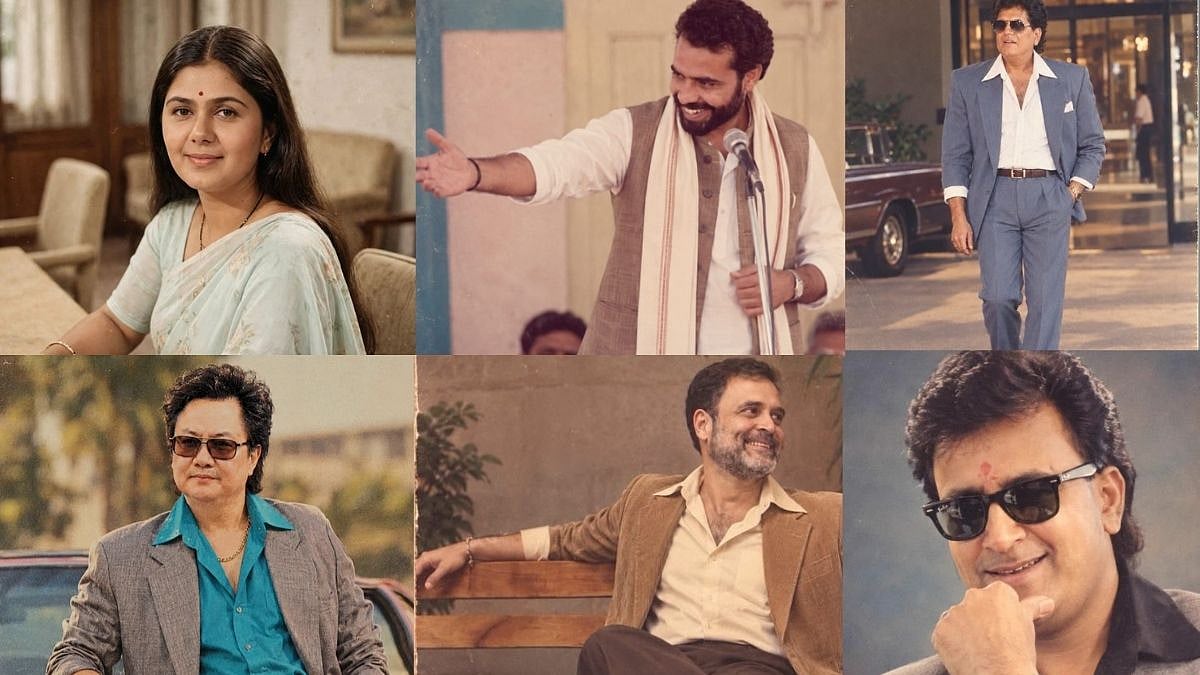
Politicians were quick to join in too. The BJP's Instagram account posted a vintage-style image of Prime Minister Narendra Modi captioned "PM Modi ft. 1980s era!" while Congress Sevadal shared AI-generated images of Rahul Gandhi in a brown jacket.
Here's how to create your own 1980s AI photo
You don't need a design background or any special software - just a clear photo of yourself and access to either ChatGPT or Google Gemini, both of which can generate these portraits from a single text prompt.
Step-by-step guide
1. Choose your app: Open ChatGPT Images or Google Gemini on your phone or desktop browser.Make sure you are logged in.
2. Upload a clear photo: Tap the '+' or attachment icon and select a recent, well-lit photo where your face is clearly visible. A front-facing shot with minimal background clutter works best.
3. Write your prompt (listed below): Type a detailed instruction describing the 1980s look you want - the more specific about clothing, hairstyle, lighting and setting, the more authentic the result (sample prompts below).
4. Generate the image: Send the prompt and wait for the AI to process the transformation - this usually takes under a minute.
5. Review and refine: If the first result doesn't look right, ask the AI to make adjustments - for instance, 'add more film grain' or 'make the hairstyle bigger' and it will regenerate the image.
6. Download and share: Save the final image to your device before posting it on Instagram or X, where the trend is being driven largely through Stories and the 'Add Yours' sticker.
AI prompts you can use to create the 1980s Indian retro look
1. Classic Bollywood portrait
"Change this photo into a portrait that looks like it came from 80s Bollywood movies. Keep my face the way it is and add clothes, hair and things that were common in India in the 80s. Use studio lighting, soft focus, a little film grain and slightly faded colours. Make it look like a real photo taken in India during the 80s. Don't use an obviously old or fake vintage filter effect."
2. Vintage family album style
"Make this photo look like an image of an Indian family from the 1980s. Include clothing that was popular during that time and hairstyles that were common then. Set the scene inside a modest Indian home with period-appropriate furniture and decor, soft natural light and a slightly faded, grainy finish, as if scanned from an old photo album."
3. Retro film-still look
"Reimagine this image as a realistic portrait from an Indian film of the 80s. Use my recognisable facial features, natural skin tone, period-appropriate voluminous hair, colourful Indian clothing, statement jewellery, warm studio lighting, subtle analogue film grain and slightly faded colours, while keeping the image photorealistic and natural. It should not a modern photo with a filter slapped on.'
4. Wedding album throwback
"Turn this photo into an 1980s Indian wedding album portrait. Add traditional wedding attire and jewellery typical of that era, warm studio lighting, a formal posed stance and a slightly faded, grainy finish that resembles a photograph taken by a professional studio photographer in that decade."

