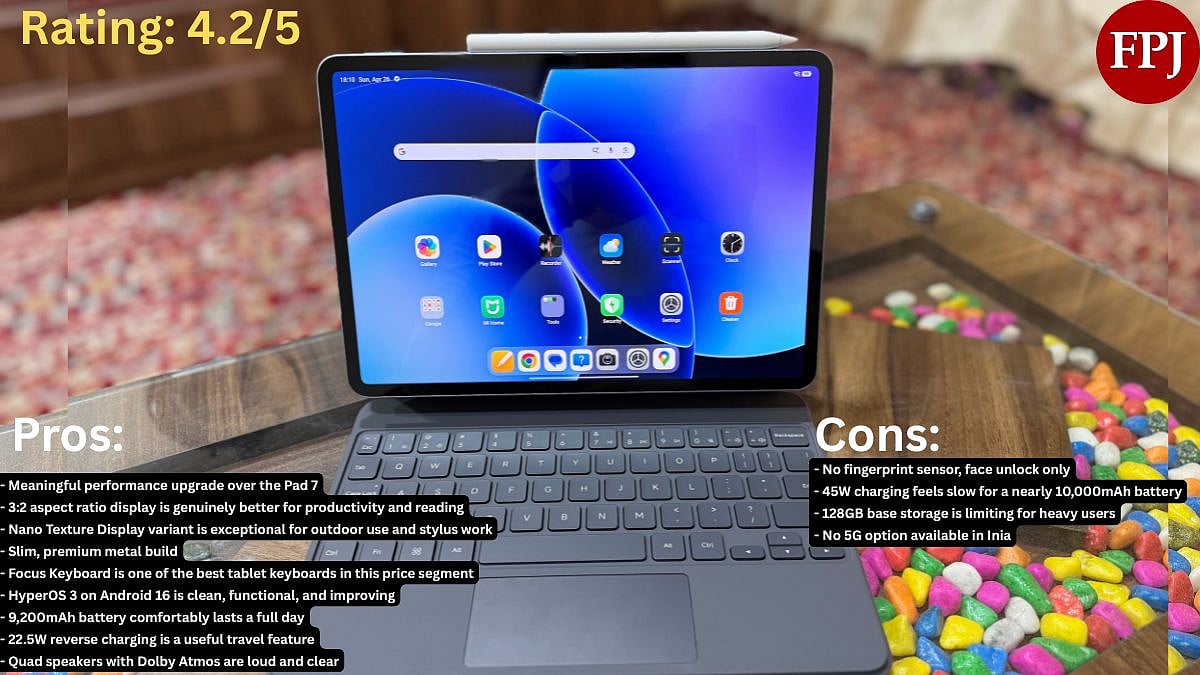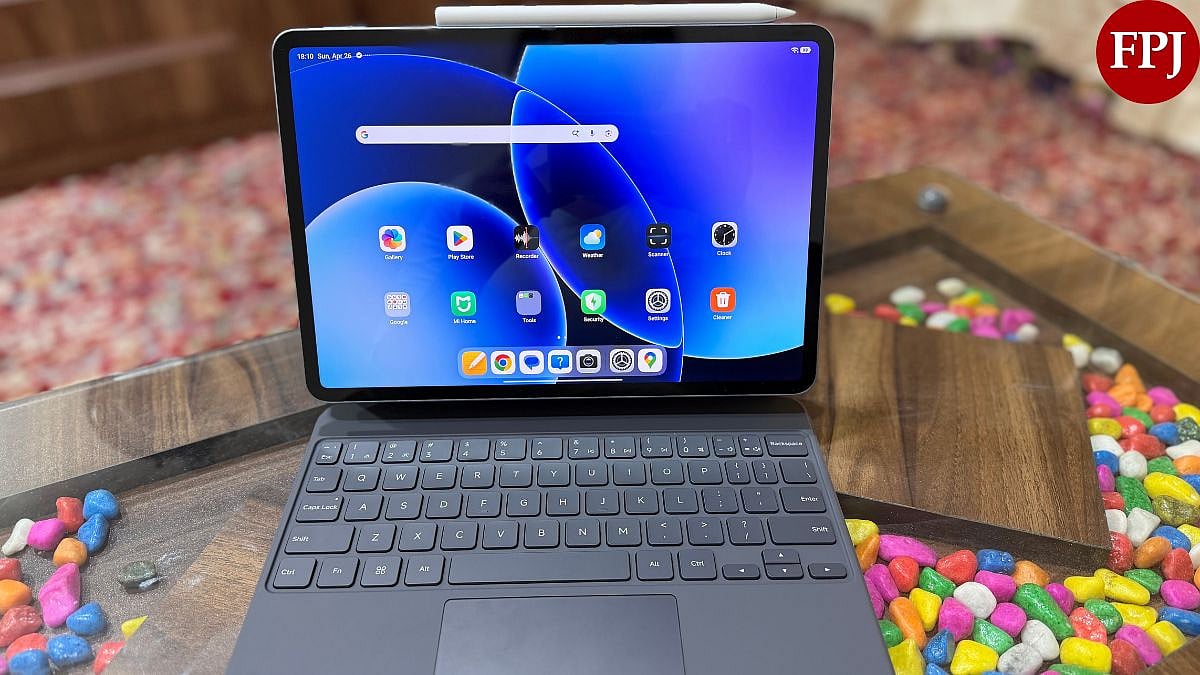
The Xiaomi Pad 8 is not the same value proposition its predecessor was. The Pad 7 launched at Rs. 27,999, a price that made the decision easy. The Xiaomi Pad 8 starts at Rs. 33,999, a jump of Rs. 6,000, and that gap is harder to overlook. What you get in return is a meaningfully faster chip, a slightly slimmer and lighter frame, a bigger battery, and a more mature software experience. Whether that trade-off works for you depends on what you're upgrading from.
I've been using the Xiaomi Pad 8 for quite some time now, and here's what I think about the device. Let's break it down properly.
Xiaomi Pad 8 Review: Design
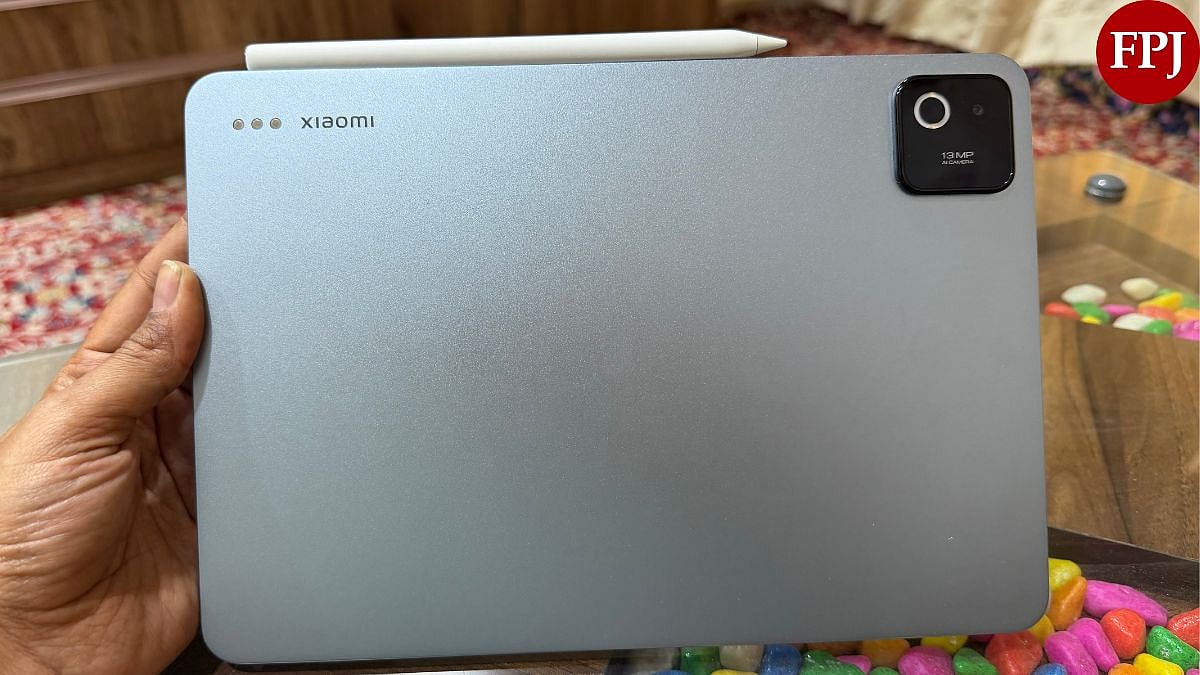
At aglance, the Xiaomi Pad 8 looks nearly identical to the Pad 7. Same rectangular slab, same flat edges, same metal build. Xiaomi hasn't reinvented anything here, and they didn't need to. What they have done is refine it. The Pad 8 is 5.75mm thin, down from 6.18mm on the Pad 7. It is even weighing at485 grams, compared to the Pad 7's 500 grams. Those numbers sound small on paper, but you feel the difference when you're holding it for an extended session. It's that imperceptible lightness that makes a long flight or a working afternoon more comfortable. It is worth noting that when you clasp the smart keyboard on, it does get a bit heavy and may be a problem for users who prefer lightweight tabs.
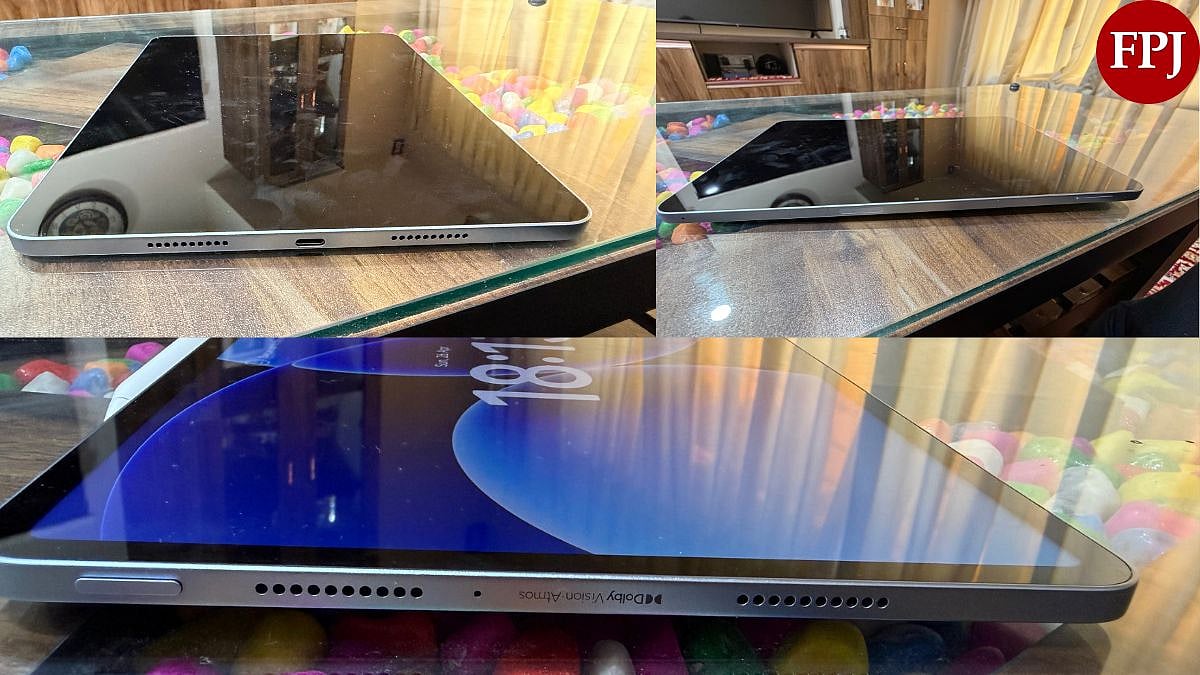
The build quality is firmly premium. The all-metal unibody feels solid in hand. The power button sits near the top-left edge (in landscape orientation), and there's a volume rocker on the top. The USB-C port is placed along the right edge. There's no 3.5mm headphone jack, which is standard for tablets at this point, but worth noting. More importantly, there's no fingerprint sensor built into the power button. You get face unlock only, which works well enough.
Xiaomi Pad 8 Review | FPJ
The quad-speaker grills on either side are symmetrical and well-placed. The magnetic strip for the stylus is along the top edge, easy to miss, but functional.
The Xiaomi Pad 8 is built with accessories in mind. The Focus Pen Pro attaches magnetically to the top edge and charges passively, so there's no fumbling for a cable. The Focus Keyboard connects via pogo pins at the back, which means no Bluetooth pairing and no battery to manage separately. There are two keyboard options, a basic one without a trackpad, and the Focus Keyboard, which adds a trackpad and a floating hinge design that tilts to roughly 120 degrees. I used the Focus Keyboard for extended typing sessions, and it held up well. The keys are clicky with decent travel, the trackpad responds accurately to gestures, and the whole assembly feels surprisingly sturdy for a tablet keyboard. If you're considering the Pad 8 for productivity, the Focus Keyboard is worth the extra spend.
One note on the design variants: Xiaomi offers a Nano Texture Display version with a matte finish. It's slightly thicker at 5.8mm and heavier at 494 grams, but the difference is negligible. The colour options, Black, Blue, and Pine Green, all look restrained and professional.
Xiaomi Pad 8 Review: Display
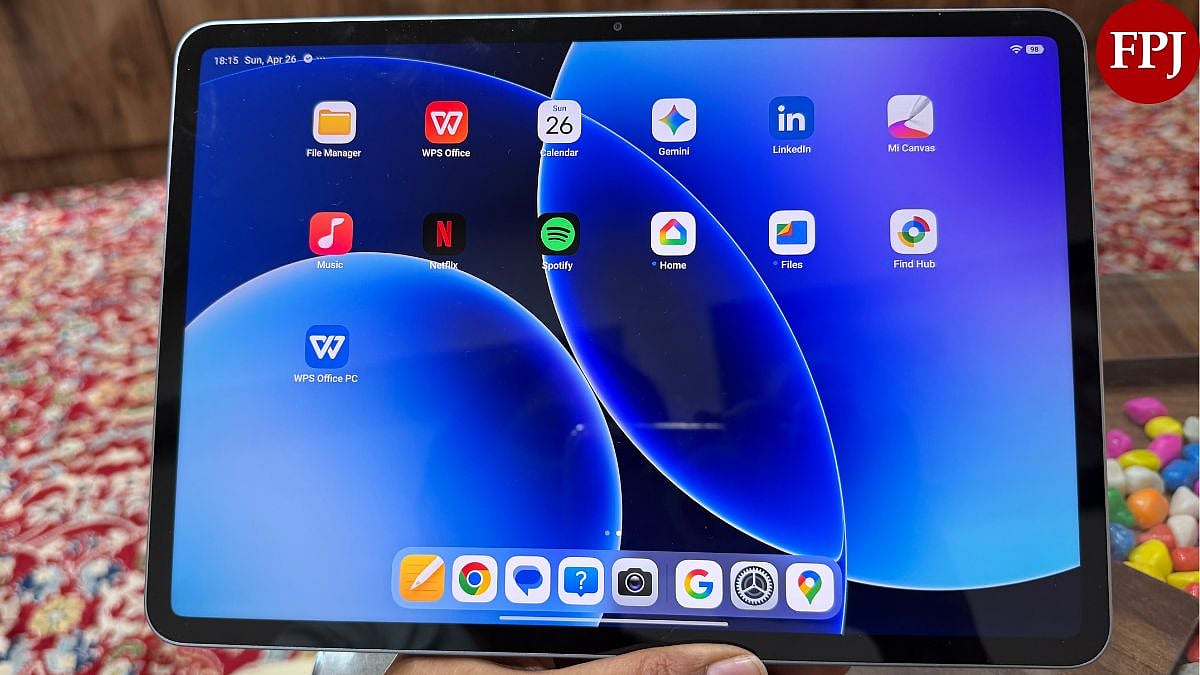
The Xiaomi Pad 8 sports an 11.2-inch IPS LCD panel with a resolution of 3200x2136 pixels, what Xiaomi calls 3.2K, at a pixel density of 345ppi. The refresh rate goes up to 144Hz, peak brightness hits 800 nits in HBM mode with a typical ceiling of 600 nits, and the panel supports Dolby Vision, HDR10, and 12-bit colour depth with 68 billion colours. That's a solid spec sheet for a tablet in this price range.
The 3:2 aspect ratio is one of the Xiaomi Pad 8's more distinctive choices, and I think it's the right one. Most Android tablets ship with a 16:10 panel, which is great for watching movies but less ideal for reading, writing, or working with documents. The 3:2 ratio feels closer to a sheet of paper. Switching between a spreadsheet and a browser tab on this display feels natural in a way that widescreen tablets simply don't.
Now, the version I reviewed came with the Nano Texture Display, the anti-glare, matte-finish variant, and I'll be direct about it - it made switching back to a glossy tablet genuinely difficult. The matte coating eliminates reflections almost entirely. I used the tablet outdoors in direct sunlight without any issues. There was no squinting, no repositioning, no frustration. The coating does attract fingerprints a little more than a glossy panel, but that's a fair trade.
Xiaomi Pad 8 Review | FPJ
The natural question is whether the matte coating affects display quality. The honest answer is very minimally. Colours are slightly less punchy compared to a glossy panel, but they're still vibrant and accurate. The contrast ratio takes a slight hit, but nothing that affects real-world use. Streaming Netflix or Prime Video on this display, with Dolby Vision active, is a genuinely good experience.
Where the LCD limitation shows up is in dark content. You won't get the deep blacks or true off-pixels of an OLED. If you watch a lot of dark, cinematic content, that's worth knowing. For everything else like reading, streaming, or gaming, the display is excellent for the price point.
The 144Hz refresh rate is consistent. Scrolling feels smooth, animations are fluid, and there's no perceptible drop during multitasking. Xiaomi also includes a Reading Mode and a Paper Mode that turns the display monochrome, which is particularly useful for long reading sessions. TUV Rheinland certifications for Low Blue Light (hardware solution), Flicker Free, and Circadian Friendly are present, which matters if you spend extended time in front of the screen.
Xiaomi Pad 8 Review: Performance
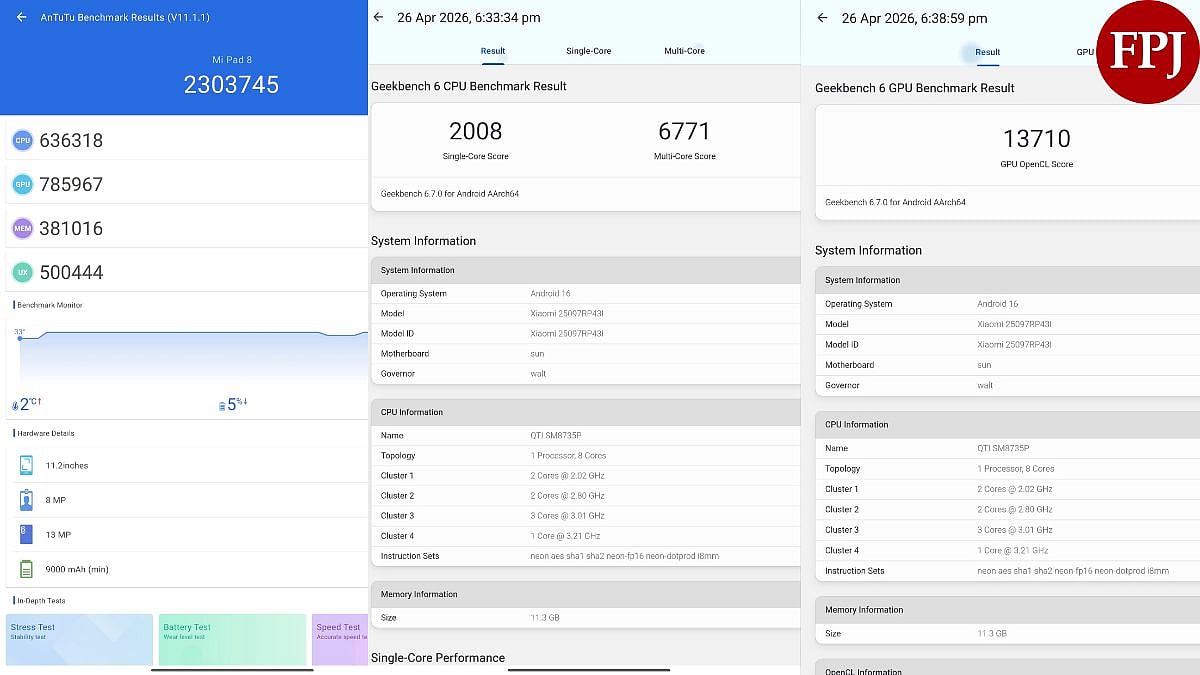
This is where the Xiaomi Pad 8 makes the clearest argument for itself. The Snapdragon 8s Gen 4 is a significant step up, not just from the Pad 7's Snapdragon 7+ Gen 3, but generationally speaking. Built on TSMC's 4nm process with a peak clock speed of 3.21GHz and an Adreno 825 GPU, this is a near-flagship chip. It scores over 2.3 million on AnTuTu v11, compared to the Pad 7's 1.4 million. That's a 64 percent improvement. In Geekbench multi-core, the Pad 8 scores around 6,396 versus the Pad 7's 5,107, a 25 percent gain. No other tablet in this price bracket comes close.
Xiaomi Pad 8 Review | FPJ
In everyday use, you feel the difference immediately. The interface is responsive in a way the older chips weren't. Apps open quickly, animations don't stutter, and switching between tasks is effortless. Split-screen multitasking works without lag or app refreshes in the background.
The two RAM and storage configurations matter more than people realise. The base 8GB LPDDR5X with 128GB UFS 3.1 storage is solid, but if your budget allows, the 12GB LPDDR5T with 256GB UFS 4.1 is the one to go for. The difference in storage speed between UFS 3.1 and UFS 4.1 is real and noticeable in file operations and app loading. The higher RAM configuration also gives you more headroom for keeping multiple apps alive in the background.
For gaming, the Pad 8 handles demanding titles at high to very high settings without breaking a sweat. Call of Duty: Mobile both ran smoothly, and the 144Hz display complements the frame rates well. The thermal management is competent, the tablet gets warm during extended gaming sessions but never uncomfortably hot.
The 11.2-inch screen size does impose one practical constraint: running three apps simultaneously starts to feel cluttered. A 13-inch display would be better suited to that workflow. But for two-app multitasking, the Pad 8 handles it cleanly.
Xiaomi Pad 8 Review: Software
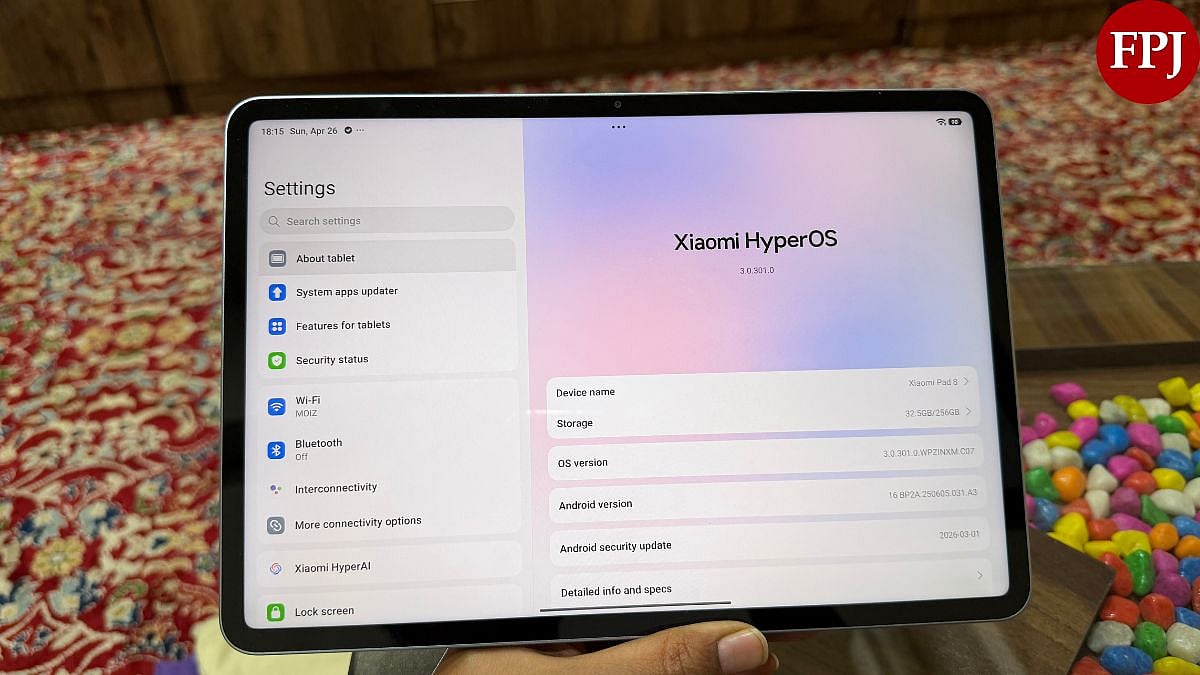
The Pad 8 ships with HyperOS 3 based on Android 16, and it's a noticeably cleaner experience than what Xiaomi had on older devices. The interface feels more polished, more intentional. The floating windows, split-screen, and multitasking tools that have been present on Xiaomi tablets for a while are now more refined and easier to invoke.
Workstation Mode is worth highlighting. It brings up a macOS-style dock at the bottom of the screen, letting you open apps in floating windows quickly. It's not a perfect laptop replacement, nothing on Android is, but it's a practical feature for people who need to juggle multiple tasks without going full split-screen.
Bloatware is minimal. Unlike some Redmi devices that come loaded with pre-installed apps, the Pad 8 starts with a relatively clean slate. That's appreciated.
The HyperAI suite includes tools like AI Writing, AI Live Subtitles, and AI Speech Recognition. The subtitles feature is the standout, it's accurate and useful in meetings or when watching videos in another language. The AI Writing tool, however, is currently restricted to the Notes app, which limits its usefulness significantly.
Xiaomi Pad 8 | FPJ
That said, there are still rough edges. Widgets for native apps like Weather and Clock don't look as refined or as well-optimised for the larger screen as they do on an iPad. Some third-party apps, Chrome in particular, have quirks when opened in floating window mode. These aren't deal-breakers, but they're reminders that Android tablet optimisation remains a work in progress across the industry.
Xiaomi promises 4 years of major Android updates and 6 years of security updates. That's a reasonable commitment for a tablet in this price range, though some competitors in the mid-range segment are beginning to push that envelope further.
Xiaomi Pad 8 Review: Cameras
Nobody buys a tablet for its cameras, and the Pad 8 doesn't pretend otherwise. You get a 13-megapixel rear camera with LED flash and support for 4K video at 30fps, and an 8-megapixel front-facing shooter capable of 1080p video.
The rear camera is genuinely fine for document scanning and occasional photography. It's not a camera you'll reach for when you have a phone in your pocket. The 4K video output is clean enough for reference footage, but that's about the ceiling.
The front camera is the more relevant of the two for most users, and it does its job. Video calls on Google Meet or Zoom are clear and sharp. The 8-megapixel sensor performs well in well-lit environments. In lower light, you'll see softness, but that's expected at this price and sensor size. For students attending online classes or professionals on video calls, the front camera gets the job done.
No optical image stabilisation, no ultrawide, no telephoto. Nothing here will surprise you in a good or bad way. The cameras are exactly what you'd expect from a mid-range tablet, functional and forgettable.
Xiaomi Pad 8 Review: Battery
The 9,200mAh battery is one of the Pad 8's strongest selling points, and in practice, it delivers. Xiaomi claims up to two days of usage per charge, and for light users, reading, browsing, occasional streaming, that's plausible. For moderate to heavy use, expect a full day with something left over. A few hours of streaming, writing, and email had the battery sitting around 20-30 percent by end of day, which required a top-up overnight.
One specific data point: a 30-minute Netflix episode drained approximately 11 percent of the battery. That's a reasonable figure, though there's an argument that Xiaomi's battery optimisation could have been pushed further given the size of the cell.
Xiaomi Pad 8 Review | FPJ
Charging maxes out at 45W, which hasn't changed from the Pad 7. The in-box adapter, however, is rated at 67W, a fast charger that can power other devices too. From 20 percent to full takes roughly 1 hour and 10 minutes, which is decent for a nearly 10,000mAh cell. The Pad 8 also supports 22.5W reverse charging, which means you can use the tablet to top up other devices. It sounds niche, but if you're travelling with earbuds or a phone that's run out of juice, it's a genuinely useful feature.
For heavier use cases, extended gaming, video editing in CapCut, or running graphics-intensive apps, battery drain accelerates noticeably. Plan accordingly if your use involves sustained GPU load.
Xiaomi Pad 8 Review: Verdict
The Xiaomi Pad 8 is a well-rounded, meaningfully upgraded tablet that sits comfortably as the best value-for-money Android tablet under Rs. 35,000 right now. The Snapdragon 8s Gen 4, the sharp 3:2 display, quad speakers with Dolby Atmos, and a large battery make for a compelling combination. The Focus Keyboard accessory ecosystem is among the best in class at this price. And HyperOS 3, despite its rough edges, is the most mature software Xiaomi has shipped on a tablet.
The price jump from the Pad 7 stings a little, Rs. 33,999 versus Rs. 27,999, but the performance improvement alone justifies much of that increase. If you're coming from a Pad 6 or older, the upgrade case is obvious. Even Pad 7 owners will find the performance gains meaningful.
If you need a bigger and faster tablet, the OnePlus Pad 3 is a good alternative to consider. But if you're looking for the best tablet per rupee spent, the Xiaomi Pad 8 is the answer, and by a comfortable margin.
The Xiaomi Pad 8 is the Android tablet to beat under Rs.40,000 right now. It doesn't do everything perfectly, but it does most things very well, and at a price that makes its shortcomings easier to forgive.