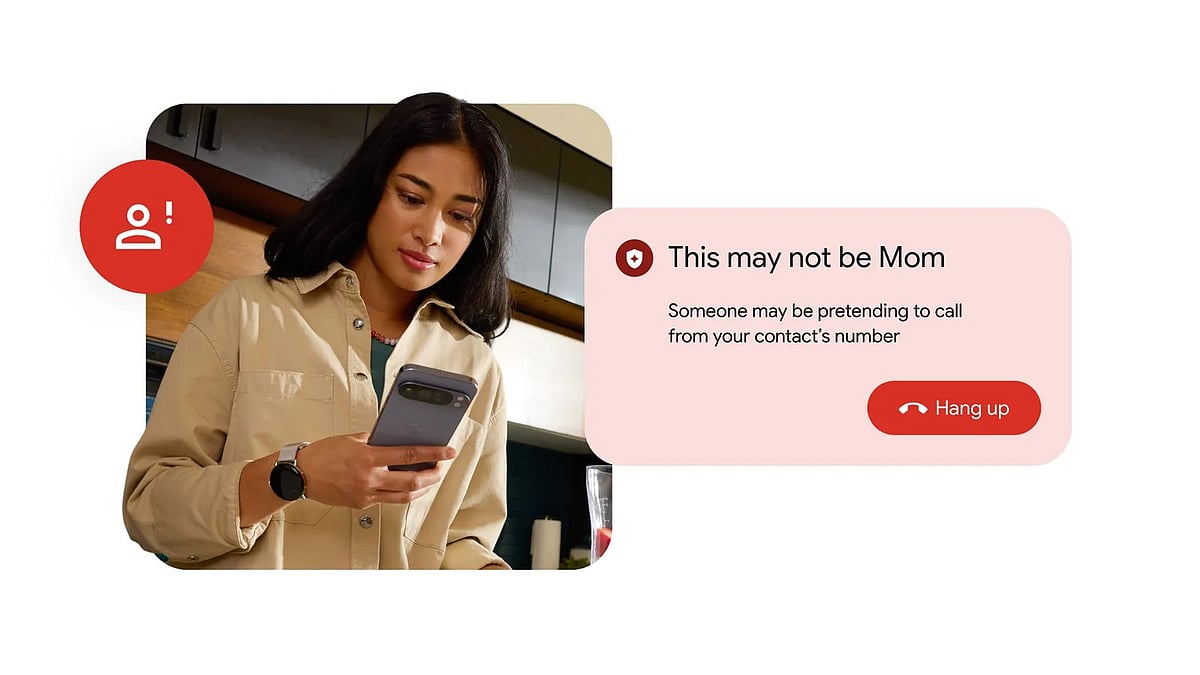
Your phone rings. The screen says "Mom." The voice on the other end sounds like her, the same warmth. But it isn't her. It's a scammer with an AI voice-cloning tool, a spoofed number, and a fabricated emergency designed to get you to send money. It's a scenario that security experts say is becoming more common, and harder to catch.
Google is now taking direct aim at this threat. The company began rolling out fake call detection on Android this week, a new feature built into Phone by Google that can identify when someone is pretending to be one of your contacts, and alert you in real time, before the conversation has a chance to go wrong.
Why is Google rolling it out now?
Caller ID has long been the first line of defence against unknown callers. But scammers have learned to neutralise it by routing calls through internet-based software to make them appear to originate from a number already in your contacts. Layered on top of that is AI voice cloning, technology that, experts say, has become realistic enough that most people can no longer reliably tell the difference between a genuine voice and a synthesised one.

INTERPOL's March 2026 Global Financial Fraud Threat Assessment identified impersonation fraud as one of the leading drivers of more than $400 billion in global losses. The US Federal Trade Commission reported that Americans lost $2.95 billion to impersonation scams in 2024 alone. Google described the feature as an 'industry first' in a blog post authored by Android product managers Eric Lynch, Troy Kensinger, and Oren Schetrit.
How fake call detection works. Step-by-step guide
1. When your phone receives a call from a number in your contacts, Phone by Google immediately initiates a background verification process. This happens before you even see the caller's name on screen.
2. If the person calling you also uses Phone by Google, their device sends a silent, encrypted confirmation signal to yours in real time — a private "digital handshake" confirming the call is genuinely coming from their device. This signal travels over end-to-end encrypted RCS (Rich Communication Services) technology and is invisible to both parties.

3. If a scammer is spoofing your contact's number, their device never sends that confirmation signal, because it isn't the real device. Your phone notices the missing handshake immediately.
4. Rather than flagging immediately on a missing signal alone, Android takes a second step- it pings the actual phone registered to your contact to ask whether it is currently making a call. If the answer comes back "no," that confirms the call is fraudulent.
5. Android displays a prominent alert on your screen advising you to hang up. The contact's photo is removed from the call screen and their name is replaced in the call log with 'Unknown caller', a deliberate signal that the identity on display cannot be trusted.
'Someone may be pretending to call from your contact's number'. This is what the on-screen alert looks like when a fake call is detected.
What you need for it to work
The feature requires both the caller and the recipient to be using Phone by Google, and both devices must have RCS capability active through Google Messages. It works on any Android device running Android 12 or higher.
The feature is switched on by default and operates entirely in the background, no setup is required. Users who wish to turn it off can do so at any time in Phone by Google's settings. Google says Phone by Google is already the default phone app on the majority of Android devices, but users whose devices use a different dialler can install it free from the Play Store.

The rollout begins with Pixel devices this month and will expand globally to all eligible Android 12+ phones over the course of June. The feature arrives alongside several other updates in Google's June 2026 Android Drop, including a new virtual wardrobe feature in Google Photos and a recap function in Google Play Books.

