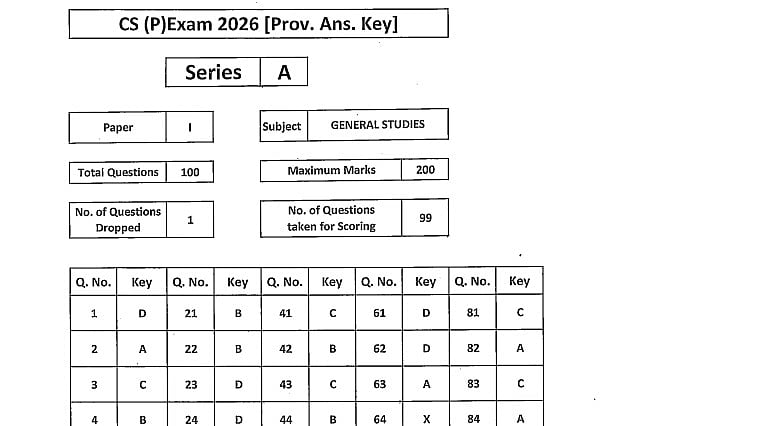
UPSC Prelims Answer Key 2026: UPSC Prelims Answer Key 2026: The Union Public Service Commission released the UPSC Civil Services Preliminary Examination 2026 answer key today, May 27, 2026, on its official website, upsc.gov.in.
The answer key was released three days after the preliminary exam held on May 24. The Commission will no longer withhold answer keys until the final results are announced at the end of the recruitment cycle.
The CSE Prelims 2026 was held on May 24 across more than 2,000 examination venues nationwide, with an estimated turnout of nearly 5.5 lakh candidates.
Direct link to download General Studies Paper - I Answer key
Direct link to download General Studies Paper - II Answer key
UPSC Prelims Answer Key 2026: Steps to download the asnwer key
Step 1: Visit upsc.gov.in, the Commission’s official website.
Step 2: Select the Answer Key tab or go to the What’s New section on the homepage.
Step 3: Click on the Civil Services (Preliminary) Examination 2026, GS Paper I Answer Key, or GS Paper II (CSAT) Answer Key active links.
Step 4: A combined PDF file with the confirmed keys for Sets A, B, C and D will appear on the screen.
Step 5: Download the document and save a copy to compare with your response sheet before the objection window closes.
Direct link to download General Studies Paper - I Answer key
Direct link to download General Studies Paper - II Answer key
Steps to download question paper
Step 1: Visit upsc.gov.in, the official UPSC website.
Step 2: Go to the Examinations section on the homepage.
Step 3: Select Previous Question Papers.
Step 4: Choose Civil Services (Preliminary) Examination.
Step 5: Select the 2026 exam year.
Step 6: Click on the General Studies Paper I and General Studies Paper II link.
Step 7: The PDF file will appear on the screen.
Step 8: Download and save the question paper for practice and reference.
Step 9: Take a printout if you need to prepare offline.
