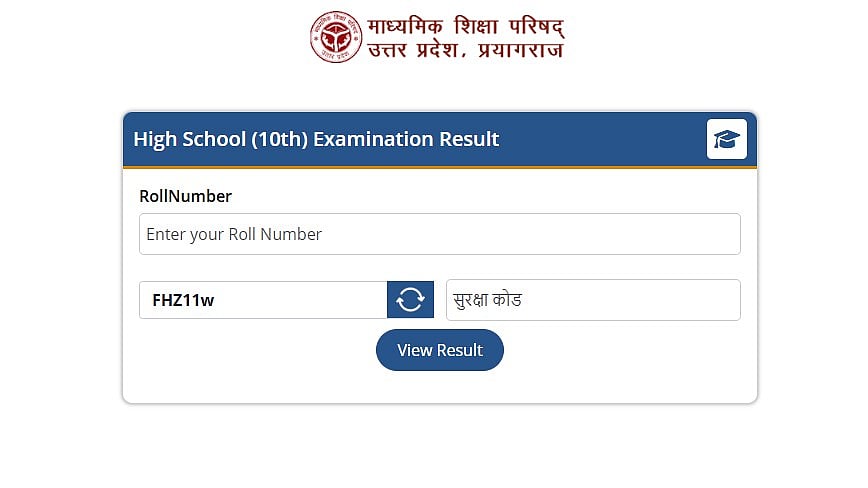
UP Board 10th, 12th Result 2026: The Uttar Pradesh Board of High School and Intermediate Education has revealed the results of the 2026 Class 10 (High School) and Class 12 (Intermediate) exams. Candidates can now access their results online at the board's official website, upmsp.edu.in.
Given that more than 50 lakh students took the test, there is a higher likelihood that the website would become slow and hang. Therefore, there are alternative ways to confirm the result. Candidates can use the UMANG app, Digilocker, and SMS to view their results.
Direct Link To Check 10th Result
Direct Link To Check 12th Result
UP Board 10th, 12th Result 2026: Important Dates
Result Date: April 23, 2026
Result Time: 4:00 PM
UP Board 10th, 12th Result 2026: Website to check the result
upresults.nic.in.
UP Board 10th, 12th Result 2026: Steps to check the result via SMS
Step 1: Open the SMS application on your mobile phone.
Step 2: For Class 12 result, type: UP12 Roll Number.
Step 3: For Class 10 result, type: UP10 Roll Number.
Step 4: Send the message to 56263.
Step 5: You will receive your UP Board Result 2026 on the same mobile number via SMS.
UP Board 10th, 12th Result 2026: Steps to check the result online
Step 1: Visit the board's website at upresults.nic.in or upmsp.edu.in.
Step 2: Click the "UP Board High School Result 2026" or "UP Board Intermediate Result 2026" link on the homepage.
Step 3: Once the roll number and school code have been entered, click "Submit."
Step 4: Your UP Board Result 2026 Class 10 or UP Board Result 2026 Class 12 will appear on the screen.
Step 5: For your records, download and print your UP Board 10th and 12th grade results from 2026.
UP Board 10th, 12th Result 2026: Steps to check the result via Digilocker
Students can also use DigiLocker to view their marksheets:
Step 1: Open the DigiLocker website or app.
Step 2: Use your phone number or Aadhaar to log in.
Step 3: Access the Issued Documents.
Step 4: Choose the 2026 UP Board 10th/12th Marksheet.
Step 5: Save the document after downloading it.
Direct link to check the result
UP Board 10th, 12th Result 2026: Steps to check the result via UMANG app
Candidates can also can use UMANG to view the results:
Step 1: Go to the UMANG application
Step 2: Look up Education Services or the UP Board.
Step 3: Select UP Board Result 2026.
Step 4: Put your roll number here.
Step 5: View and download the outcome.
Direct link to check the result
