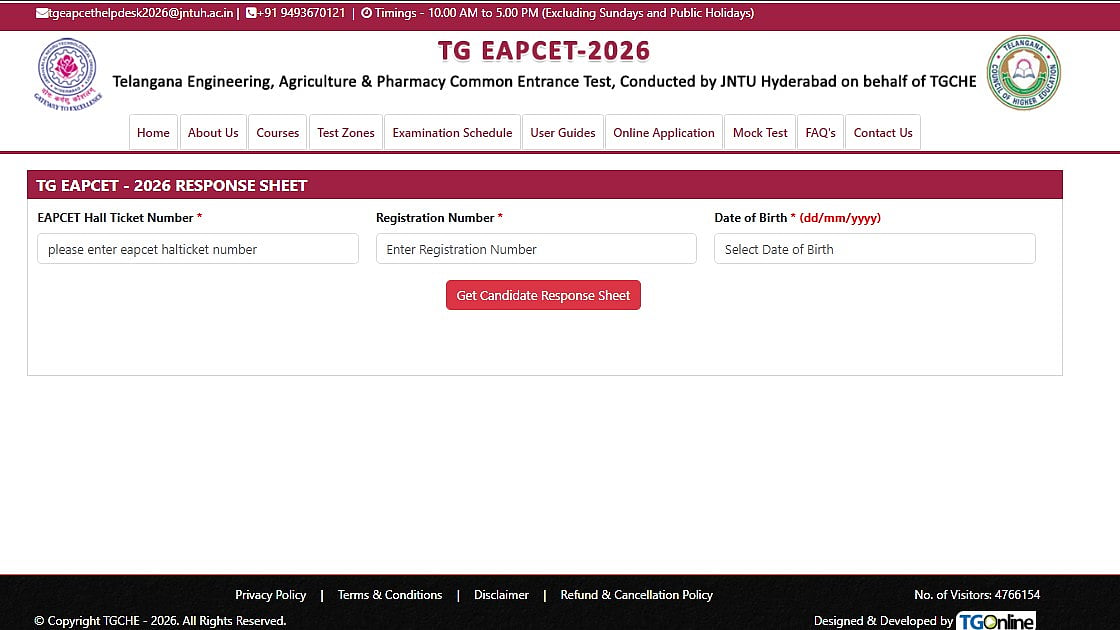
TS EAPCET 2026: The Telangana Council of Higher Education (TGCHE) has released the preliminary answer key, response sheet, and master question paper for the TG EAPCET 2026 Engineering (E) streams.
Candidates can submit objections against the preliminary key up to 14th May 2026, 11:00 AM. Candidates who appeared for the entrance exam can now access the documents on the official website at eapcet.tgche.ac.in.
Direct Link To Download Response Sheet
Direct Link To Raise Objections
TS EAPCET 2026: Important Dates
Candidates can check out the important dates for the engineering, agriculture, and pharmacy courses:
Engineering (E) Stream
Download of Response Sheet, Master Question Paper & Preliminary Key: 12th May 2026, 11:00 AM to 14th May 2026, 11:00 AM
Exams conducted on: 09 May 2026 (FN & AN) to 11 May 2026 (FN & AN)
Last date to submit objections: 14th May 2026 (11:00 AM)
Agriculture & Pharmacy (A & P) Stream
Download of Response Sheet, Master Question Paper & Preliminary Key: 11th May 2026, 11:30 AM to 13th May 2026, 11:30 AM
Exams conducted on: 04 May 2026 (FN & AN) and 05 May 2026 (FN)
Last date to submit objections: 13th May 2026 (11:30 AM)
TS EAPCET 2026: How To Download the Answer Key 2026
Candidates can follow these steps:
Step 1: Go to eapcet.tgche.ac.in, the official website.
Step 2: Select the Engineering Answer Key link.
Step 3: Enter your login information, including your date of birth, registration number, and hall pass number.
Step 4: Download the question paper, response sheet, and preliminary answer key.
Step 5: Compute estimated scores and cross-check responses
