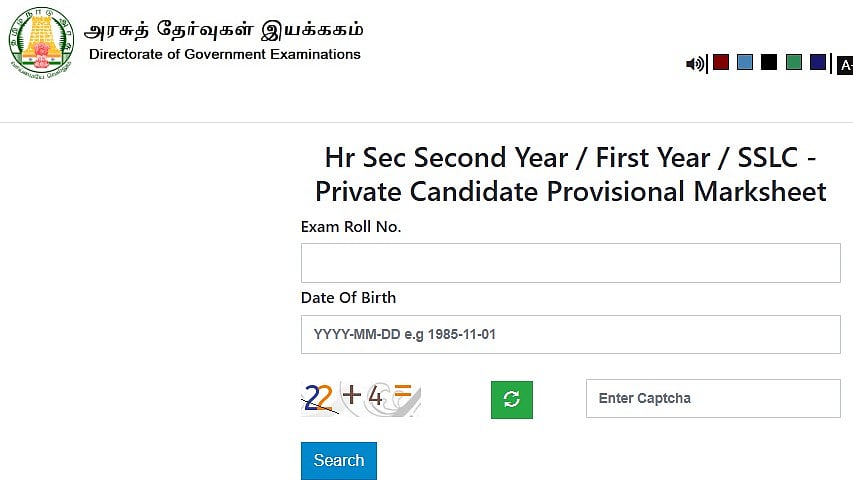
TN SSLC, HSE +1 Supplementary Results 2025: The Directorate of Government Examinations (DGE), Tamil Nadu, announced the TN SSLC (Class 10) and HSE +1 (Class 11) Supplementary Results 2025 at 2:30 PM on July 31, 2025. Students can see their results on the official website, dge.tn.gov.in, as well as at apply1.tndge.org.
N SSLC, HSE +1 Supplementary Results 2025: Website to check
dge.tn.gov.in
aply1.tndge.org
tnresults.nic.in
TN SSLC, HSE +1 Supplementary Results 2025: Steps to check result via text
Students can also check the Tamil Nadu SSLC Supplementary Result 2025 via mobile app.
Download the ‘TN SSLC Result’ app on your smartphone.
Open the app and click on the result link.
Enter your registration number and date of birth.
Tap on ‘Submit’.
Your TN 10th Supplementary Result 2025 will appear on the screen.
TN SSLC, HSE +1 Supplementary Results 2025: Steps to check the result
Step 1: Visit the official websites at dge.tn.gov.in or apply1.tndge.org.
Step 2: Click on "SSLC / HSE +1 Supplementary Results 2025."
Step 3: Enter your registration number and date of birth.
Step 4: Click "Submit" to view the results.
Step 5: Take a print out for your records after downloading it.
TN SSLC, HSE +1 Supplementary Results 2025: Steps to check result via Digilocker
Step 1: Enter the DigiLocker app's username and password to log in.
Put in your Aadhar number here.
Step 2: The 'Pull Partner Documents' button in the left sidebar should be clicked.
Step 3: After being taken to a new page, you will have two choices.
Step 4: Choose 'Tamil Nadu Board of Secondary Education (TNBSE)' from the first option.
Step 5: Select Marksheet (TN Board 10th Marksheet, etc.) from the following option.
Step 6: You will be taken to a website where you must input your roll number and year of passing.
Step 7: Complete the information on your 2025 TN Board 10th Hall Ticket.
Step 8: The Tamil Nadu 10th Digital Marksheet/Certificate will download after selecting "Get Document."
Step 9: To save these documents to your DigiLocker account, click the "Save to Locker" option.
For the latest information and comprehensive guidelines, continue to visit the board's official website.

