RBSE 12th Result 2026: The RBSE 12th Arts, Commerce, and Science results for 2026 have been declared today, March 31, 2026, at 10 AM on the official website.
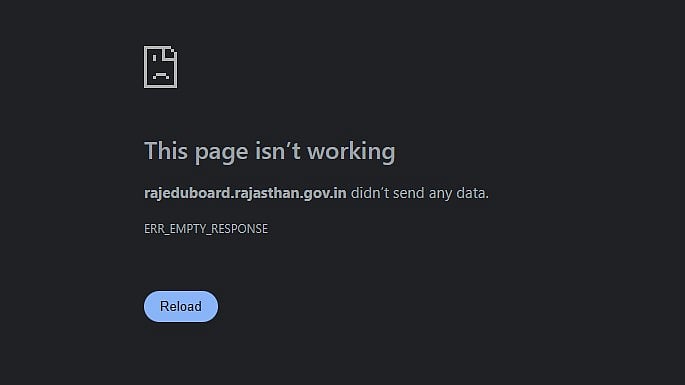
However, the official websites rajeduboard.rajasthan.gov.in and rajresults.nic.in are currently not functioning properly due to high traffic. The result link should activate smoothly in a short while, so students are advised not to panic and to keep refreshing the page. Students who took the tests can use the other ways to view their results, such as SMS, Digilocker, and UMANG.
RBSE 12th Result 2026: How to Receive Your Marksheet Through SMS
Step 1: Go to the SMS application on your mobile phone.
Step 2: Type the message according to your stream:
Arts: RJ12A <space> ROLL NUMBER
Science: RJ12S <space> ROLL NUMBER
Commerce: RJ12C <space> ROLL NUMBER
Step 3: Send the SMS to 5676750 or 56263.
Step 4: You will receive your RBSE Class 12 Result 2026 as a text message on the same number.
RBSE 12th Result 2026: Steps to check the result
Step 1: Visit the official website at rajeduboard.rajasthan.gov.in.
Step 2: From the homepage, choose the RBSE Class 12 Result 2026 link.
Step 3: Select between the Science, Arts, and Commerce routes.
Step 4: Enter your roll number here.
Step 5: Click "Submit."
Step 6: View the results that are shown on the screen.
Step 7: After downloading the marksheet, save it for later use.
RBSE 12th Result 2026: How to use DigiLocker to view the results
Step 1: Launch the DigiLocker app or website.
Step 2: Select the marksheet for Class XII.
Step 3: Choose the Rajasthan Board.
Step 4: Use your phone number or Aadhaar to log in.
Step 5: Get your marksheet in digital format.
RBSE 12th Result 2026: How to use the UMANG app to view the results
Step 1: Get the UMANG app from the Apple App Store or Google Play Store.
Step 2: Launch the application
Step 3: Enter "RBSE" or "Rajasthan Board" into the search bar.
Step 4: The screen will display the "RBSE 12 Result 2026" link.
Step 5: Type the roll number into this field.
Step 6: Obtain the 2026 RBSE 12 results.
