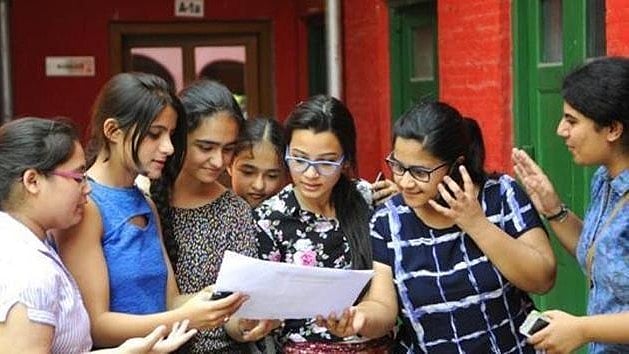
MPBSE Class 10 Result 2026: MPBSE Class 10 Results 2026 have been released on the official website. Students can access the results by adding their login credentials on the official website, mpbse.mponline.gov.in. Pratibha Singh of Panna topped the MP Board 10th results in 2026. She received a score of 499 out of 500, indicating an excellent performance.
MPBSE Class 10 Result 2026: Class 10 Toppers List 2026
According to media reports, the Class 10 Topper List is as follows:
Pratibha Singh Solanki – 499 marks
Abhay Gupta – 498 marks
Akshara Ghodeshwar – 498 marks
Himanshi Dhakad – 497 marks
Shivam Bopche – 497 marks
Yogendra Singh Parmar – 497 marks
Nikita Farkase – 497 marks
Avanish Kumar Nai – 497 marks
Arjun Singh Rajpoot – 497 marks
Ananya Verma – 497 marks
MPBSE Class 10 Result 2026: Where to check the result
MPBSE Class 10 Result 2026: Steps to check the result online
Candidates can check out the Class 10th result 2026 by following the steps below:
Step 1: Visit mpbse.mponline.gov.in, the official website.
Step 2: On the homepage, click on the "MPBSE Class 10 Result 2026" link.
Step 3: Add login credentials such as the application number and roll number.
Step 4: Press the "Submit" button.
Step 5: The screen will display your outcome.
Step 6: Carefully review every aspect.
Step 7: Download the outcome and print it off for your records.
MPBSE Class 10 Result 2026: Steps to check the result via Digilocker
Step 1: Go to DigiLocker's official website (digilocker.gov.in) or open the app.
Step 2: Log in with your registered mobile number or Aadhaar number. If you are a new user, click "Sign Up" to create an account.
Step 3: After you log in, navigate to the 'Issued Documents' section.
Step 4: Select the 'Education' category.
Step 5: Choose the MP Board (MPBSE) from the list.
Step 6: Select Class 10 or 12 Marksheet 2026.
Step 7: Enter your roll number and other required information.
Step 8: Click 'Get Document.'
Step 9: Your digital marksheet will appear on the screen.
Step 10: Download or save it for later use.
Tip: The DigiLocker marksheet has been digitally verified and can be used for admission and official purposes.
