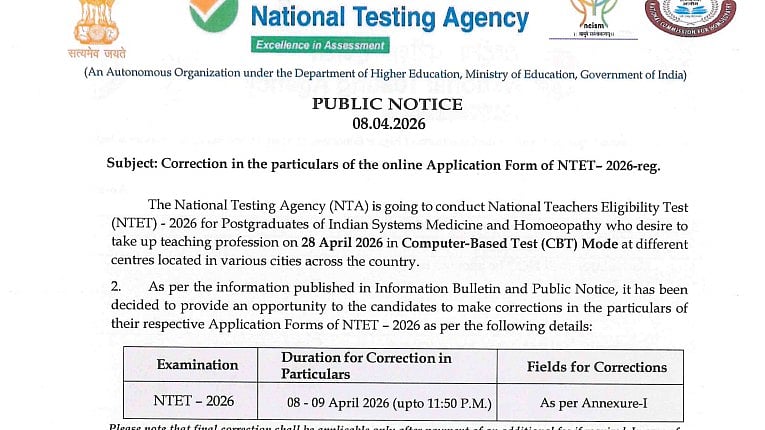
NTA NTET 2026 Correction Window: The National Testing Agency (NTA) has opened a short correction window for candidates who have applied for the National Teachers Eligibility Test (NTET) 2026, giving them a final chance to review and edit details in their application forms.
The NTET 2026, conducted for postgraduate candidates in Indian Systems of Medicine and Homoeopathy aspiring to enter the teaching profession, is scheduled to be held on April 28, 2026, in computer-based mode across multiple centres in the country.
In a recent notification, the agency said the correction facility is being provided as a one-time measure to help candidates rectify any errors and avoid complications later in the admission or eligibility process.
Direct link to read official notification
Direct link to correction window
NTA NTET 2026 Correction Window: Key dates
Correction window opens: April 8, 2026
Last date to make changes: April 9, 2026 (till 11:50 PM)
Exam date: April 28, 2026
Candidates have been advised to log in to the official NTET portal and carefully verify all details before making any changes. The NTA has made it clear that no further opportunity will be given after the deadline.
NTA NTET 2026 Correction Window: Fields that cannot be edited
• Mobile number
• Email address
NTA NTET 2026 Correction Window: Fields that can be edited (limited changes)
• Address (permanent and present)
• Uploaded photograph
• Candidate name / Father’s name (only one of these fields can be changed)
NTA NTET 2026 Correction Window: Fields that can be fully edited
• Mother’s name
• Graduation details
• Postgraduation details
• Exam city selection
NTA NTET 2026 Correction Window: Other editable details
• Date of birth
• Gender
• Category
• Sub-category / PwD-PwBD status (if not verified through UDID)
• Aadhaar details (only for candidates who did not register using Aadhaar)
• Signature upload
• Choice of exam state and city
Steps to make the correction
Step 1: Visit the official website: exams.nta.nic.in/ntet
Step 2: Click on the NTET 2026 application correction link on the homepage
Step 3: Log in using your Application Number and Password/Date of Birth
Step 4: Your application form will appear on the screen
Step 5: Carefully review all the details mentioned in the form
Step 6: Edit the required fields as allowed by NTA
Step 7: Upload revised photograph/signature if needed
Step 8: If applicable, pay the additional fee using Debit/Credit Card, Net Banking or UPI
Step 9: Click on ‘Submit’ after making all corrections
Step 10: Download and save the confirmation page for future reference
Note: Once submitted, the form will be frozen and no further changes will be allowed.
Direct link to correction window
The agency has also clarified that any change affecting the application fee such as category or PwD status will require candidates to pay an additional amount. However, any excess fee paid earlier will not be refunded.
However, it should be noted that NTA has clearly emphasised that this is an opportunity for making a single change, and once the new form is submitted, it will be considered finalised and cannot be edited further.
For assistance, candidates can contact the NTA help desk at 011-40759000 or write to ntet@nta.ac.in. Regular updates will also be available on the official websites.

