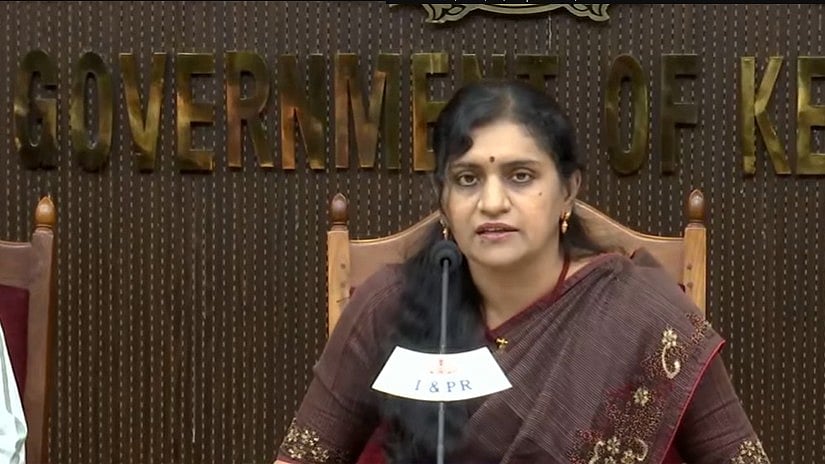
Kerala SSLC Result 2026: The Class 10th results for 2026 have been released by the Kerala Board of Public Examinations (KBPE). The Director of General Education and the General Education Secretary together hosted a press conference to announce the results. At 4 PM, the official website will go live. Students can get their provisional marksheet by logging into the official portal at keralaresults.nic.in with their roll number details once the link becomes available.
Over 4 lakh students took the Kerala SSLC exam 2026 this year, which was administered at 3,031 testing locations throughout the state between March 5 and March 30.
Kerala SSLC Result 2026: Official website to check the result
pareekshabhavan.kerala.gov.in
prd.kerala.gov.in,
results.kerala.gov.in,
examresults.kerala.gov.in,
results.kite.kerala.gov.in,
results.digilocker.kerala.gov.in,
sslcexam.kerala.gov.in,
Kerala Pareeksha Bhavan 10th result: Steps to check the result
Step 1: Visit keralaresults.nic.in or result.kite.kerala.gov.in, the official websites.
Step 2: Select the "Kerala SSLC Results 2026" link.
Step 3: In the result login window, enter your birthdate and registration number.
Step 4: Click the "Submit" button.
Step 5: The Kerala SSLC 2026 results will appear on the screen.
Step 6: After downloading it, save it.
Step 7: For your records, print off a copy.
Kerala Pareeksha Bhavan 10th result: Steps to check the result via Saphalamb App
Step 1: Get the app from the Google Play Store.
Step 2: Choose "SSLC Result 2026".
Step 3: Enter your birthdate and registration number.
Step 4: The software will quickly display your results.
Kerala Pareeksha Bhavan 10th result: Steps to check the result via Digilocker
Students can follow the given steps to download their digital marksheet from the Digilocker app.
Step 1: Go to the Digilocker app on your mobile or directly open the official website.
Step 2: Click on the “Kerala Class SSLC Marksheet 2026” link.
Step 3: The login window will appear. Enter your registration number and date of birth
Step 4: The marksheet will appear on the screen
Step 5: Download it and check your marks.
Kerala Pareeksha Bhavan 10th result: Steps to check the result via whatsapp
Step 1: Save the Kerala State IT Mission WhatsApp number 9188619958
Step 2: Open WhatsApp on your mobile phone
Step 3: Send a message to the official number as instructed
Step 4: Enter the required details such as registration number and date of birth if asked
Step 5: Your Kerala SSLC Result 2026 will be shared on WhatsApp
Kerala Pareeksha Bhavan 10th result: Details mentioned on marksheet
The Kerala SSLC online marksheet will contain important details such as the student's name, roll number, registration number, and date of birth. It will include the name of the school and testing site in addition to the parent or guardian's name. In addition to their theory, practical, and internal assessment results, students will be able to see their grades or marks broken down by subject, including the highest attainable score for each subject. The marksheet will provide the total aggregate marks or overall score, grade or percentile earned, qualifying status (pass/fail), category details if applicable, and any relevant official instructions or information.
