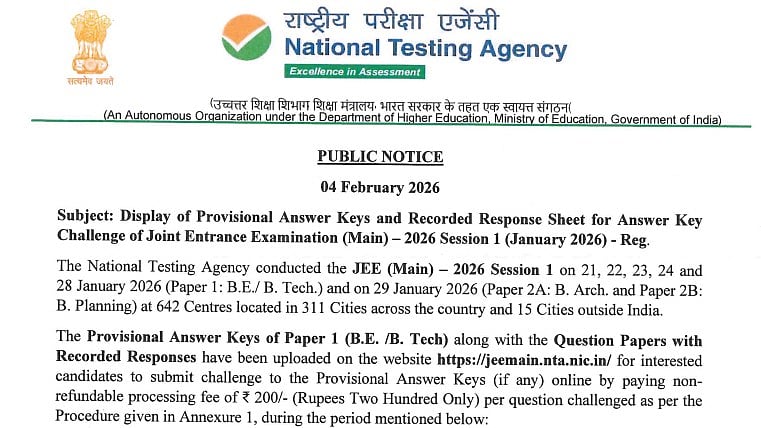
JEE Main 2026 Session 1 Response Sheet, Answer Key: The NTA JEE Main session 1 response sheet and the preliminary answer key were made available today. Furthermore, NTA will allow applicants to register their objections to the provisional keys within the challenge time. Candidates have access to the challenge facility, answer key, and response sheet via their individual logins at jeemain.nta.nic.in. The subject-wise percentile score and the overall percentile will be included in the session 1 result, but the ranks and cutoff will not.
Direct link for official notification
JEE Main 2026 Session 1 Response Sheet, Answer Key: Important dates
JEE Main 2026 Session 1 exam dates: January 21 to 29, 2026
Response sheet release: February 4, 2026
Provisional answer key release: February 4, 2026
Answer key objection window: February 4 to February 6, 2026 (11:50PM)
JEE Main 2026 Session 1 result: February 12, 2026
JEE Main 2026 Session 2 registration: Ongoing
Last date to apply for JEE Main 2026 Session 2: February 25, 2026
JEE Main 2026 Session 1 Response Sheet, Answer Key: Steps to Download NTA JEE Main Response Sheet 2026 PDF
The JEE Main 2026 question paper PDF and response sheet link will be available after logging in:
Step 1: Visit the official website, jeemain.nta.nic.in.
Step 2: Click "JEE Main candidate response sheet 2026 - session 1" to activate the login window.
Step 3: Type in the following data: The CAPTCHA password and the JEE primary application number.
Step 4: Candidates can view the response sheet URL when the dashboard opens.
Step 5: After clicking on the link, a window will open with the response sheet.
Step 6: Choose "print" to download the JEE Main candidate response sheet PDF.
JEE Main 2026 Session 1 Response Sheet, Answer Key: Details to Check on JEE mains 2026 Response Sheet
Application number
Candidate’s name
Roll number
Date of the test
Test duration
Subject / topics
Section-wise details
Question ID
Type of question
Question text
Options provided for each question
Option ID for each option
Status of the question (Answered / Unanswered)
Selected option
Candidate’s recorded response
JEE Main 2026 Session 1 Response Sheet, Answer Key: Steps to challenge answer key
Step 1: To log in, enter your application number and password.
Step 2: From the Candidates' Login Screen, select either "Challenge Answer Key" or "Challenge Recorded Response".
Step 3: Select the Recorded Response's Question Number, Recorded Answer, and Claimed Answer.
Step 4: Next, add to the list of claims.
Step 5: Next, select the Answer Key's question or answer ID and add it to the claims list.
Step 6: Make the payment using net banking, credit, or debit.
For more inforamtion, candidates are advised to visit the official website.

