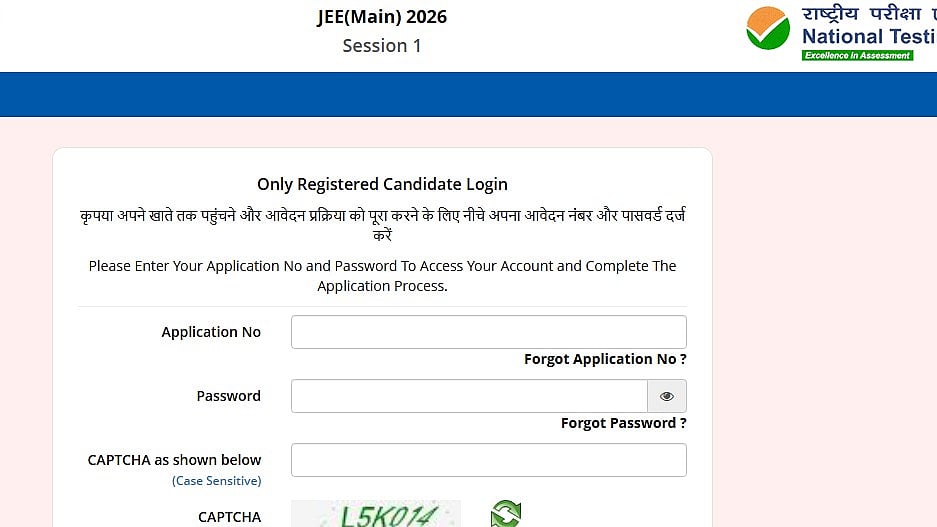
JEE Main 2026 Paper 2 Answer Key Challenge: The JEE Main 2026 Paper 2 provisional answer key and recorded response sheet for the answers Key Challenge will be closed by the National Testing Agency today at 11.50 PM. To see and download the documents, students must input their application number and password.
JEE Main 2026 Paper 2 Answer Key Challenge: Important date
Challenge deadline: February 20, 2026 (11:50 PM)
Fee payment deadline (₹200 per question): February 20, 2026 (11:50 PM)
JEE Main 2026 Paper 2 Answer Key Challenge: Steps to download answer key
To download the solution key, take the following actions:
Step 1: Visit the official website at jeemain.nta.nic.in.
Step 2: Click the link labelled "JEE Main Paper 2 Answer Key 2026".
Step 3: To log in, enter your birthdate, password, and application number.
Step 4: The screen will display the answer key PDF that NTA made available.
Step 5: Download the PDF to see your estimated score.
JEE Main 2026 Paper 2 Answer Key Challenge: Objection fee
Objection fee: ₹200 per question (non-refundable).
JEE Main 2026 Paper 2 Answer Key Challenge: How to raise objection
It is recommended that candidates verify the accuracy of the response sheet and the preliminary answer key:
Step 1: To access the official website, go to jeemain.nta.nic.in.
Step 2: "Challenge(s) regarding Answer Key" should be selected.
Step 3: After entering the Captcha Code that appears and checking in using your Application Number and Password, click Submit.
Step 4: Select "Challenge(s) regarding Answer Key" again.
Step 5: The following JEE Main 2026 Session 1 Question IDs (January 2026) will show up on the screen in order: Paper 2A (B.Arch) consists of 25 + 50 + 25 objective-type multiple-choice questions (MCQs) in the areas of mathematics, aptitude testing, and planning; Paper 2B (B. Planning) consists of 25 + 50 + 25 MCQs in these areas.
Step 6: ID shown in the "Correct Option" column indicates the official response declared by NTA.
Step 7: Check the box next to one or more Option IDs from the next four columns to dispute any response.
Step 8: After selecting your challenge for the Mathematics/Aptitude Test (Paper 2A) or the Mathematics/Aptitude Test/Planning (Paper 2B), click "Save your claim and move to next screen".
Step 9: A preview of each Option ID you have contested will be displayed to you.
Step 10: select "Finally pay the fee and save your claim."
