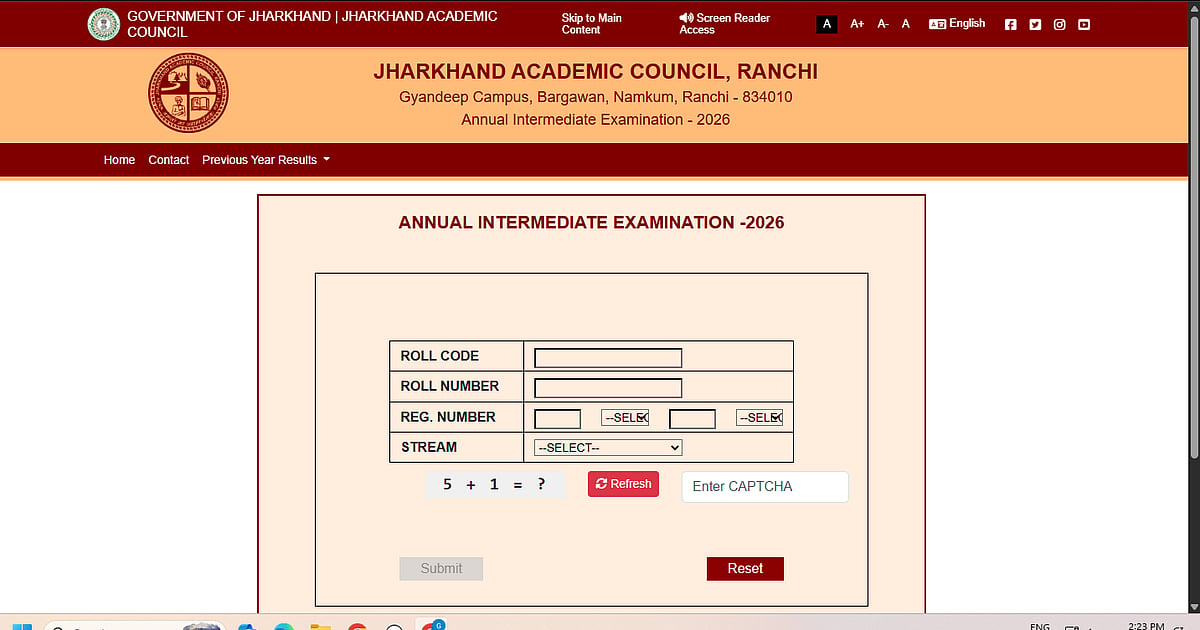
JAC 12th Result 2026: The Class 12 (Intermediate) results for 2026 have been made public by the Jharkhand Academic Council (JAC). Candidates can visit the official website, jacresults.com, to view their results.
Students in the Science, Commerce, and Arts streams will have access to their results via DigiLocker and the official websites, jacresults.com and jac.jharkhand.gov.in. Students will eventually receive their genuine certificates through their individual schools; the internet marksheets are just temporary.
Direct link to check the result
Direct link for principal login
JAC 12th Result 2026: How To Check JAC 12th Result 2026 via SMS
Step 1: Open your phone's SMS app.
Step 2: Enter the message using this format: JAC12 Roll Code Roll Number RESULT
Step 3: Send it to 56263.
Step 4: Your cell phone will receive the outcome
JAC 12th Result 2026: Steps to Check Online
Students can download their scores by following these steps:
Step 1: Visit the JAC website,
Step 2: Choose for "JAC Class 12 Result 2026."
Step 3: Type in your code and roll number.
Step 4: Send in the information.
Step 5: View and download your results.
Step 6: Print off a copy for your records.
Direct link to check the result
JAC 12th Result 2026: How to Check JAC 12th Result 2026 via DigiLocker
Step 1: Open the DigiLocker app or go to the DigiLocker results portal.
Step 2: Use your Aadhaar login information or a registered mobile number to log in (new users must register first).
Step 3: Go to the "Results" or "Education" section.
Step 4: From the list, choose Jharkhand Academic Council.
Step 5: Select "Class 12 Result 2026."
Step 6: Enter the necessary information, such as the year and roll number.
Step 7: To see the outcome, submit
Step 8: Save the marksheet after downloading it for later use.
