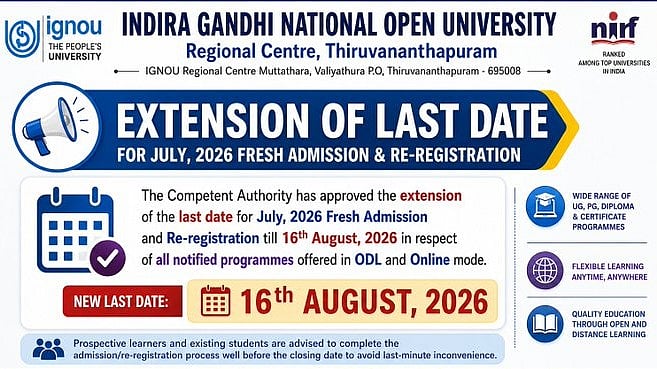
IGNOU July 2026 Admission 2026: For the July 2026 admissions session, the Indira Gandhi National Open University (IGNOU) has once again extended the deadline for new applicants. The official social media account was used to announce the extension. Up until August 16, 2026, qualified applicants may now apply for admission to all announced programs offered online and through open and distance learning (ODL).
For online and ODL programs, candidates can apply using the appropriate admission websites.
IGNOU July 2026 Admission 2026: Direct Links
ODL Programmes: ignouadmission.samarth.edu.in
Online Programmes: ignouiop.samarth.edu.in/index.php/registration/user/register
IGNOU July 2026 Admission: APAAR ID Mandatory
Before starting the application process, applicants are recommended by IGNOU to have their APAAR ID ready. Students can visit the assistance link on the admission portal if they are having trouble creating their APAAR ID.
Following confirmation of their enrolment, qualified candidates may also apply for Government of India scholarships via the National Scholarship Portal (NSP).
IGNOU July 2026 Admission: Documents Required
Candidates should keep the following documents ready before filling out the application form:
Passport-size photograph: Colour photograph with a white background, in JPEG format and less than 100 KB.
Signature: Scanned signature in JPEG format, less than 100 KB.
Educational qualification certificates: Certificates/documents in JPEG or PDF format, less than 200 KB.
Experience certificate: Required only for candidates with applicable work experience.
Category certificate: SC/ST/OBC certificate, if applicable.
IGNOU July 2026 Admission: Steps to Apply
Step 1: Go to ignouadmission.samarth.edu.in, the official IGNOU admissions portal.
Step 2: If this is your first time applying, click "New Registration."
Step 3: Register with your current mobile number and email address, then use an OTP to confirm both.
Step 4: Make an alphanumeric password (8–16 characters) and a username.
Step 5: Enter your registered login information to log in.
Step 6: Carefully complete the application form after choosing the curriculum of your choice.
Step 7: Upload the necessary files in the format specified, including the signature, photo, and academic certificates.
Step 8: Check all the information by previewing the application.
Step 9: Use a credit card, debit card, net banking, or UPI to pay the application fee.
Step 10: Fill out the application and save the confirmation page for your records.
Direct link to apply for ODL Programme
Direct link to apply for Online programme
IGNOU Refund Policy
Registration Fee: The registration fee is non-refundable under the IGNOU refund policy.
Before Admission Confirmation: The programme fee is refundable if the cancellation request is made before admission is confirmed.
After Admission Confirmation: If admission has already been confirmed and the student requests cancellation, 15% of the programme fee, subject to a maximum deduction of ₹2,000, will be deducted.
Soft Copy Study Material: Students who opt for soft copies of study materials will receive the eligible refund after deduction of the registration fee.
Refund Deadline: No refund requests will be entertained after 60 days from the last date of admission.
IGNOU July 2026 Admission: Important Instructions
When registering, use their own working mobile number and email address.
Throughout the admissions process, make sure the registered email is operational.
Enter your username or registered email address to log in.
When completing the application, use the most recent version of Google Chrome.
Documents from the original copies can be scanned and uploaded.
Examine the application thoroughly before submitting it.

