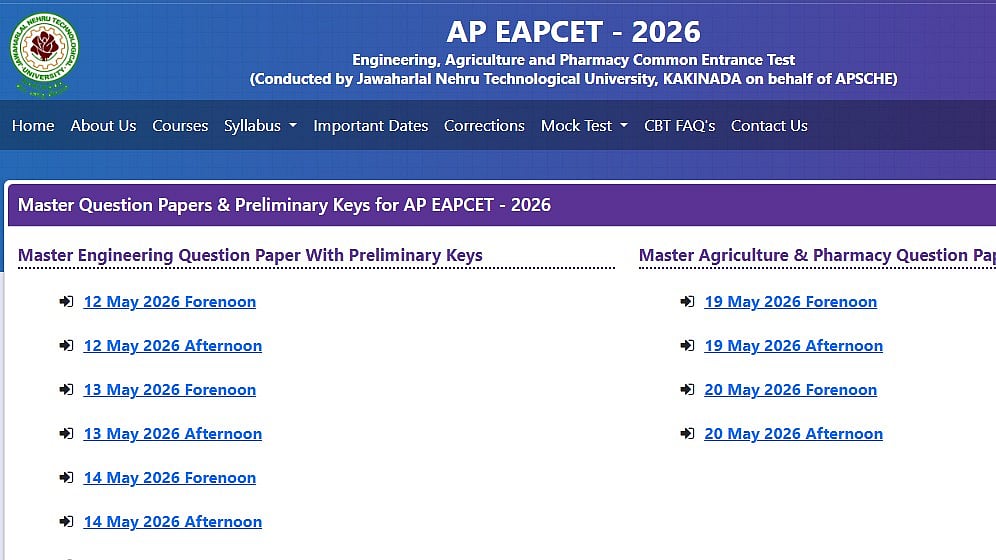
AP EAMCET 2026 Provisional Answer Key: The preliminary answer key for the Engineering, Agriculture, and Pharmacy Common Entrance Test (AP EAMCET), 2026 has been released by the Andhra Pradesh State Council of Higher Education (APSCHE) today, March 25, 2026, and can be found at cets.apsche.ap.gov.in.
The revised (final) answer key and the evaluation's outcome will be posted on the official website. The final answer key is created and made public after an expert committee reviews all of the objections to the preliminary answer key.
AP EAMCET 2026 Provisional Answer Key: Important dates
Engineering exam dates: May 12 to 15 and May 18, 2026
Agriculture and Pharmacy exam dates: May 19 and 20, 2026
Provisional answer key released: May 25, 2026
Last date to raise objections: May 27, 2026
AP EAMCET 2026 result date: June 1, 2026
AP EAMCET 2026 Provisional Answer Key: Steps to download answer key
Use the instructions below to download the AP EAMCET tentative answer key:
Step 1: Go to cets.apsche.ap.gov.in, the official APSCHE website.
Step 2: Select the "AP EAMCET 2026 Answer Key" link from the homepage.
Step 3: Select the paper's subject and stream.
Step 4: The PDF of the tentative answer key will appear on the screen.
Step 5: For reference, download the PDF and print it out.
Step 6: To compare responses and determine your approximate score, download your response sheet as well.
AP EAMCET 2026 Provisional Answer Key: Objection Fee
₹300 per question
Fee will be refunded if the objection is accepted as valid
AP EAMCET 2026 Provisional Answer Key: Steps to raise objection
Use the procedures listed below to raise objection about the AP EAMCET 2026 preliminary answer key:
Step 1: Go to cets.apsche.ap.gov.in, the official APSCHE website.
Step 2: Select the "Objections on Preliminary Key" link from the homepage.
Step 3: Enter your hall pass number and registration number to log in.
Step 4: Decide which question number or numbers you wish to contest.
Step 5: Give the right response and a convincing explanation.
Step 6: If necessary, upload evidence or supporting documentation
Step 7: Make the required objection fee payment.
Step 8: Carefully go over every detail and send in the objection form.
Step 9: For future use, download and store the acknowledgement receipt.
For more information, candidates are advised to keep checking the official website.

