Samsung Galaxy S25 Series Starts Receiving Android 16-Based One UI 8 Software: How To Update
The Samsung One UI 8 rollout begins in select regions like South Korea and is set to expand globally, including to markets like India, in the coming weeks.

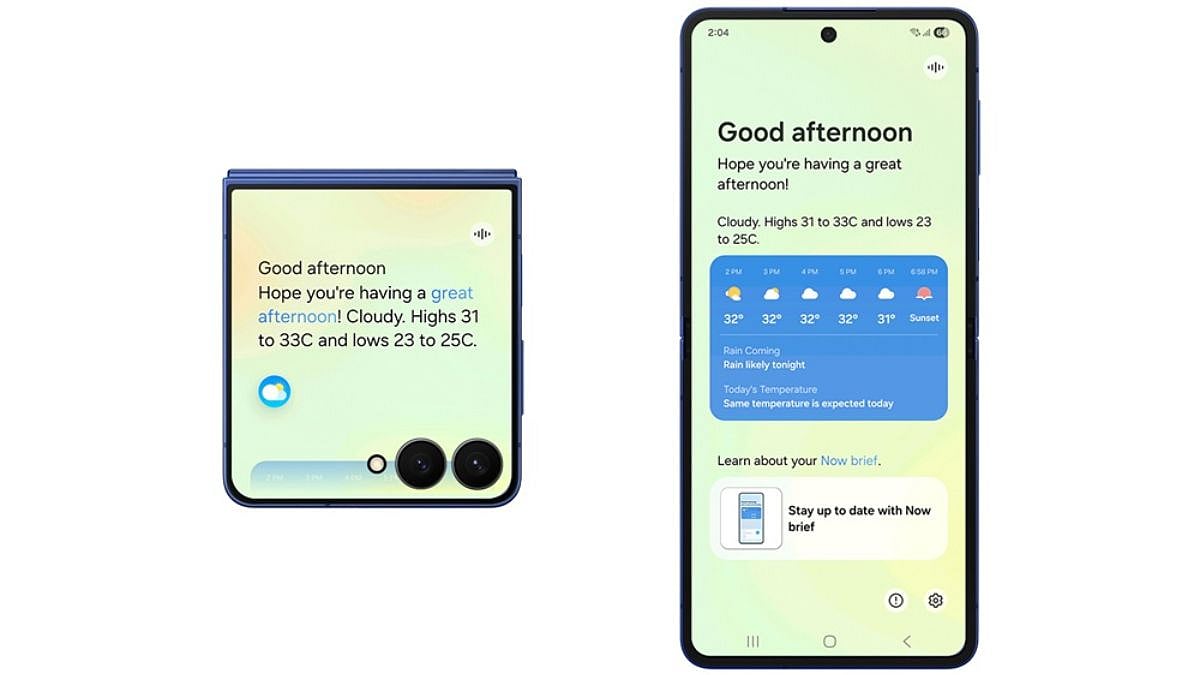
Samsung has officially launched the One UI 8 update, based on Android 16, starting with its flagship Galaxy S25 series. The rollout begins in select regions like South Korea, introduces advanced multimodal AI capabilities, improved user experience tailored for various device form factors, and robust security features. The update is set to expand globally, including to markets like India, in the coming weeks, with a phased approach ensuring broader device compatibility by the end of 2025. One UI 8 follows the One UI 8 Beta program, which began in May 2025, and builds on the UI redesign introduced with One UI 7.
The Samsung One UI 8 update emphasises AI-driven personalisation and productivity. Features like Gemini Live enable seamless, real-time AI interactions, while Circle to Search offers enhanced in-game assistance and real-time translations. The Now Bar and Now Brief provide live app activity and personalized suggestions, such as music or health insights from Galaxy Watch. Security is bolstered with Knox Enhanced Encrypted Protection (KEEP) and Knox Matrix, ensuring data safety through app-specific encryption and automatic risk detection. Additionally, a new clock design adapts to wallpapers, and tools like Portrait Studio create AI-generated pet portraits.
Devices Receiving One UI 8 Update Now
The stable One UI 8 update is currently rolling out to the following devices:
Samsung Galaxy S25
Samsung Galaxy S25 Plus
Samsung Galaxy S25 Ultra
Samsung Galaxy S25 Edge
ALSO READ
Devices Slated for Future One UI 8 Updates
Samsung has confirmed that the update will reach additional devices later in 2025, including:
Samsung Galaxy S24 series
Samsung Galaxy Z Fold 6
Samsung Galaxy Z Flip 6
Samsung Galaxy S24 FE
Samsung Galaxy S23 series
Samsung Galaxy Z Fold 5
Samsung Galaxy Z Flip 5
Samsung Galaxy S22 series
Samsung Galaxy Z Fold 4
Samsung Galaxy Z Flip 4
Samsung Galaxy S21 FE
Samsung Galaxy Tab S10 series
Samsung Galaxy S9 series
Samsung Galaxy S8 series
Select Galaxy A-series (e.g., A56 5G, A36 5G, A55 5G, A35 5G)
How to Update to One UI 8
To install the One UI 8 update, ensure your device is connected to a stable Wi-Fi network.
Navigate to Settings > Software Update > Download and Install.
If the update is available, you’ll receive a notification, or you can manually check for it. Beta program participants may receive a smaller update (around 555MB), while others can expect a larger file (up to 3.8GB). Always back up your data before updating.
RECENT STORIES
-
-
-
-
-