How To Create GTA 6-Style AI Photos Using ChatGPT And Gemini To Share On Instagram: 5 Prompts To Try
The Grand Theft Auto 6-inspired aesthetic is finding its way onto social media, with users turning their regular photographs into colourful, cinematic character posters. From neon-lit streets and luxury cars to palm-lined beaches and dramatic sunsets, the trend recreates the vibrant Vice City-inspired world through AI-generated images.

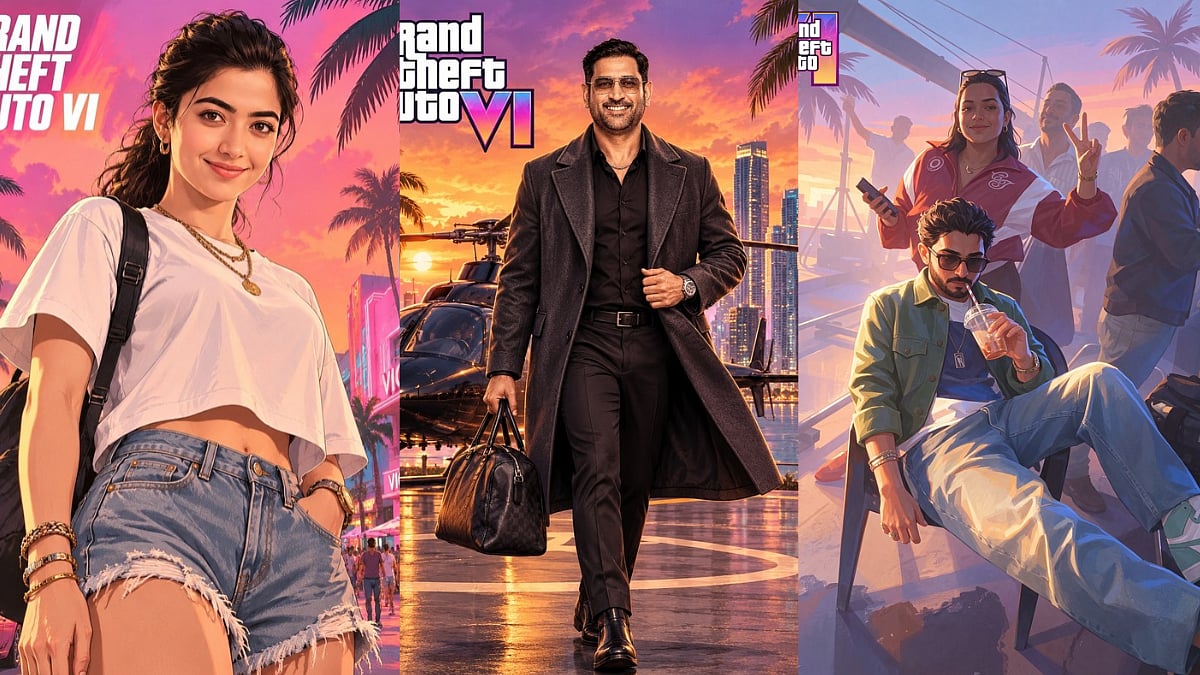
How To Create GTA 6-Style AI Photos Using ChatGPT And Gemini To Share On Instagram: 5 Prompts To Try |
The Grand Theft Auto 6-inspired aesthetic is finding its way onto social media, with users turning their regular photographs into colourful, cinematic character posters. From neon-lit streets and luxury cars to palm-lined beaches and dramatic sunsets, the trend recreates the vibrant Vice City-inspired world through AI-generated images.
The good news is that you do not need professional editing skills to try it. AI image generators such as Google Gemini and ChatGPT can transform your photographs into video game-style artwork with the help of a few detailed prompts. All you need is a clear picture and some creative instructions.
How To Create GTA 6-Inspired AI Photos
Before getting started, choose a high-resolution photograph in which your face is clearly visible. A front-facing picture with good lighting works best, as it helps the AI retain your facial features. Avoid images with heavy shadows, filters or sunglasses.
Next, open Gemini or ChatGPT, upload your chosen photograph and enter a prompt describing the look you want. Be specific about the background, outfit, colours, lighting and overall aesthetic. You can also ask the AI to preserve your original face shape, hairstyle and skin tone so the final image remains recognisable.
Once the image is generated, use follow-up instructions to make changes to the setting, clothing, pose or lighting until you get the desired result.
5 GTA 6-Inspired AI Prompts To Try
1. GTA 6 Character Poster
Transform my uploaded photograph into a Grand Theft Auto 6-inspired character poster. Preserve my facial identity, face shape, hairstyle and skin tone. Show me standing confidently on a colourful Vice City-inspired street. Add palm trees, pastel buildings, luxury cars, neon signs and a dramatic sunset. Use vibrant colours, cinematic lighting and detailed video game promotional artwork aesthetics. No text, logos or watermark.
2. GTA 6 Sunset Beach Portrait
Turn my uploaded photograph into a cinematic Vice City-inspired beach scene. Keep my original facial features and identity intact. Place me on a beautiful beach with palm trees, ocean waves, luxury beachfront properties and a colourful pink-orange sunset. Use fashionable summer clothing, golden-hour lighting and vibrant video game illustration aesthetics. No text or watermark.
3. Neon-Lit Vice City Night Look
Transform my uploaded photograph into a GTA-inspired night-time character portrait. Preserve my facial features and identity. Place me on a neon-lit city street with glowing signboards, palm trees, sports cars and reflections on a wet road. Use bold pink, purple and blue lighting with a cinematic open-world video game aesthetic. No text or watermark.
4. Luxury Car And City Poster
Create a GTA 6-inspired promotional artwork using my uploaded photograph. Keep my face, hairstyle and skin tone unchanged. Show me posing confidently beside a luxury sports car on a stylish coastal city road. Include palm trees, modern buildings, a colourful sky and dramatic cinematic lighting. Use saturated colours and detailed video game poster aesthetics. No text or watermark.
5. Vice City Holiday Look
Restyle my uploaded photograph as a GTA-inspired holiday poster. Preserve my identity and facial details. Place me walking along a vibrant tropical street with pastel-coloured buildings, palm trees, beachside cafes and vintage cars. Give the image a warm sunset glow, bold colours and a polished video game illustration finish. No text or watermark.
Level up your brain the fun way. Play daily games and quizzes on FPJ Smart!
RECENT STORIES
-
-
-
-
-