Odisha Public Service Commission Releases Statistical Officer Exam Results; Check Details Here!
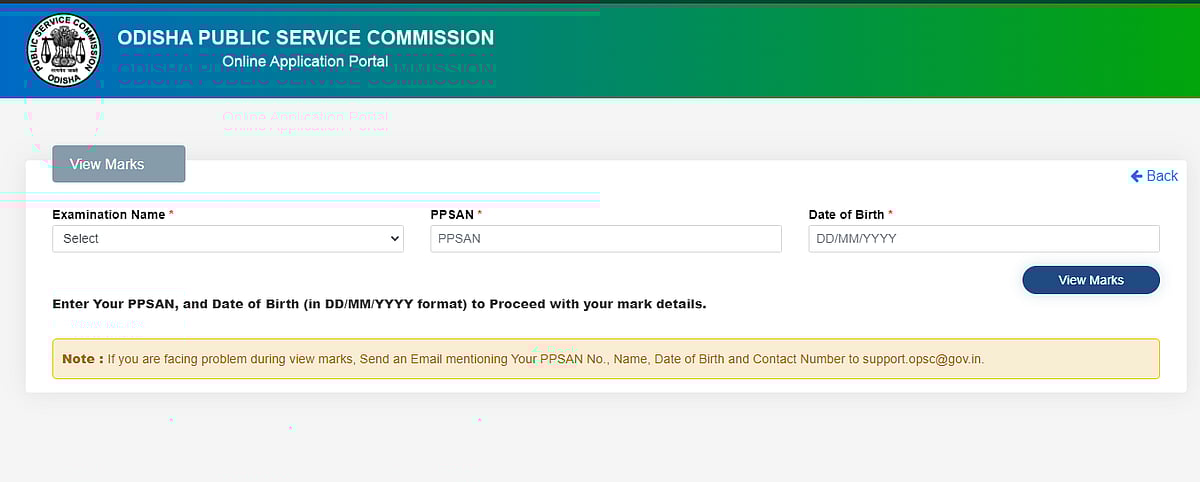
If any candidate is facing problems during view marks, Send an Email mentioning Your PPSAN No., Name, Date of Birth and Contact Number to support.opsc@gov.in.

Official Website |
The results for the Statistical Officer recruitment exam conducted by the Odisha Public Service Commission (OPSC) have officially been released. The candidates who appeared for the exam can now view and download their results and scorecards from OPSC's official website at opsc.gov.in. In order to view the result, candidates will have to enter their PPSN number and Date of Birth after clicking on the given link.
The exam was conducted on December 31, 2024. The purpose of this exam was to fill 33 positions in Odisha for Statistical Officers.
If any candidate is facing problems during view marks, Send an Email mentioning Your PPSAN No., Name, Date of Birth and Contact Number to support.opsc@gov.in.
How To Check Results?
Step 1: Go to the official website
Step 2: On the homepage, navigate to the result link
Step 3: Enter the required credentials to view your result
Step 4: Your result will now appear on the screen
Step 5: Go through the details
Step 6: Save and download for future use
Students need to enter their login details, such as registration and roll numbers, in order to check their results. Candidates are advised to take a print out of the result and keep the physical copy safe for future use. Candidates should keep an eye on the official website for all the latest and most detailed information related to the exam mentioned above.
It is also recommended that candidates get in touch with the relevant officials right away if they notice any discrepancies in their results or if they have any questions about them.
RECENT STORIES
-
-
-
-
-