Here's How To Create Gemini AI's Viral Trend Of 'Polaroid-style Images With Celebrities', Quick Guide:
Social media is a home of trends these days. A new trend is buzzing on the Internet these days is powered by Gemini AI's tools of turning normal looking images into cool and trendy visuals. The AI-supported trend allows users to flaunt in Polaroid-style photographs alongside their favorite celebrities.

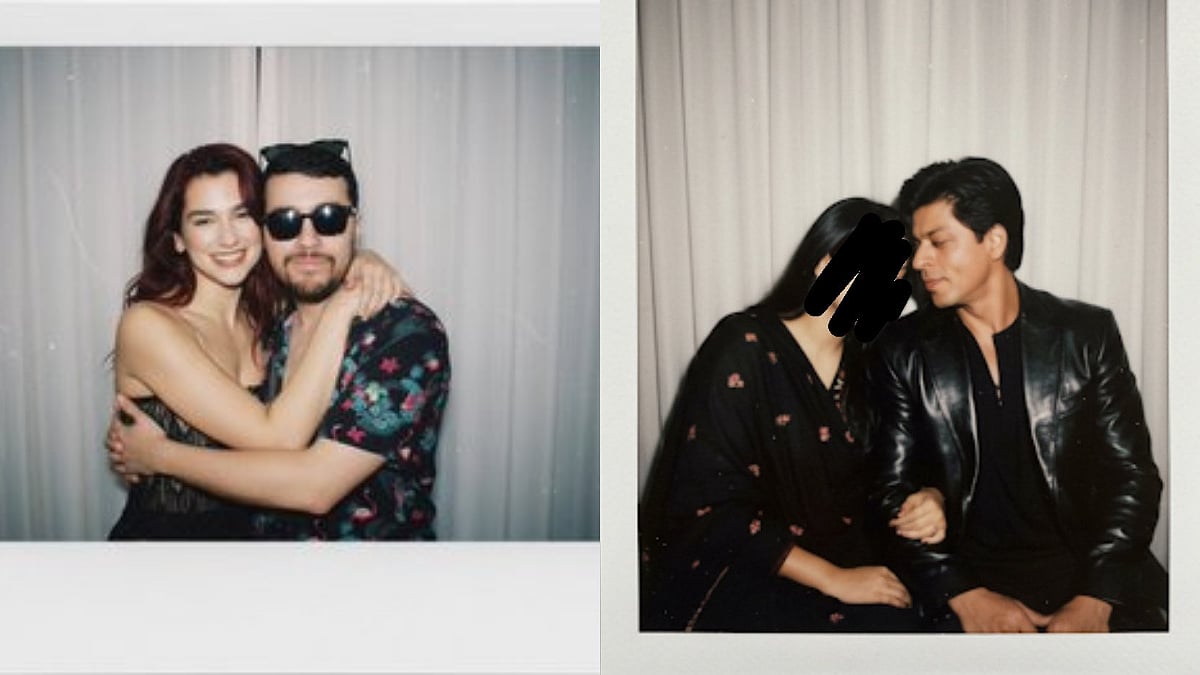
Here's How To Create Gemini AI's Viral Trend Of 'Polaroid-style Images With Celebrities', Quick Guide: | X @srksrohina / @Mr_Scholex
Social media is a home of trends these days from users making hilarious and trendy dance videos to using AI to create mesmerising and unexpected visuals social media is all about who is acing at the trend game. A new trend is buzzing on the Internet these days is powered by Gemini AI's tools of turning normal looking images into cool and trendy visuals. The AI-supported trend allows users to flaunt in Polaroid-style photographs alongside their favorite celebrities.
The trend has quickly gained traction because of its mix of nostalgia and fandom, letting people imagine casual hangouts or fun moments with stars they admire. Gemini’s feature has become the latest obsession for social media users. Take a look at the trendy posts of netizens.
ALSO READ: Step-By-Step Guide On Google Gemini's Nano Banana AI Saree Trend
The new AI-powered trend is taking over social media, with users flaunting Polaroid-style photographs alongside their favorite celebrities. The trend, fueled by Google’s Gemini AI, has receiving praise for its nostalgic aesthetic that makes the AI-generated images look like candid snaps straight out of the ’90s. From Bollywood icons to Hollywood stars, people are recreating their dream moments in picture-perfect vintage frames.
Step-by-Step Guide: How to Create Your Own Polaroid-style Images With Celebrities
Access Gemini AI – Open Google’s Gemini app or web version.
Frame Your Prompt – Clearly type in: “Create a Polaroid-style photograph of me with [celebrity name].” Add details like outfit, background, or pose if you want it more customized.
Choose the Style – Select 'Polaroid' or 'Vintage Photo' theme for the authentic retro look.
Generate & Save – The AI will create a set of images. Pick your favorite, save it, and share on social media.
Add Finishing Touches – Some users enhance the aesthetic by adding borders, handwriting, or stickers using editing apps for a true Polaroid vibe.
RECENT STORIES
-
-
-
-
-