Instagram's Instants Feature Sparks Privacy Concerns: How To Turn It Off?
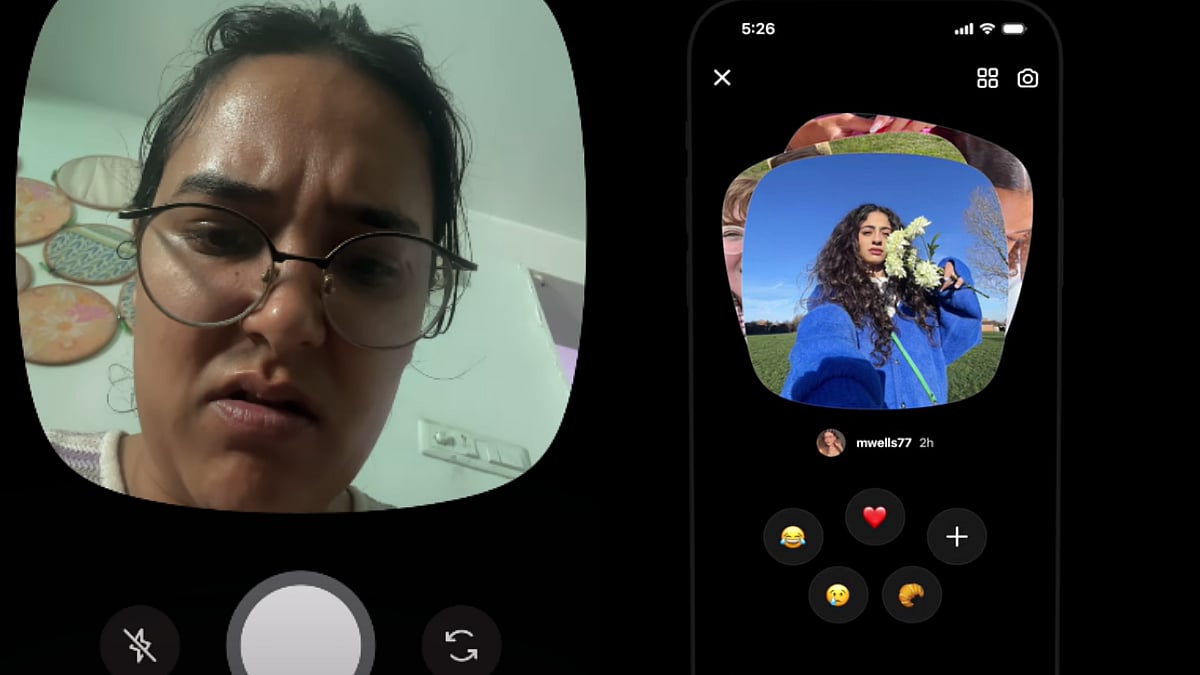
Instagram’s new ‘Instants’ feature, which sends photos instantly without preview or confirmation, has triggered backlash from users. Designed for spontaneous sharing, it sends images to all friends by default and deletes them after viewing. Many users have raised concerns over accidental sharing and lack of control, with searches on disabling it trending.

Instagram @daminiwadhwa
Meta's latest addition to Instagram is designed to bring spontaneity back to social media. But for many users, it's just brought anxiety. Meta quietly rolled out the Instants feature that sends a photo the moment you tap a button, with no preview, no confirmation, and no second chance, the backlash was swift and loud.
Just days after the rollout, users are flooding Reddit threads and X with complaints, and search queries for 'how to turn off Instagram Instants' were also trending.
What is Instagram Instants?
Instagram describes it as 'a new way to share in the moment with spontaneous, unfiltered photos.' Essentially, you send an Instant and your followers are notified. They can open it, see the photo, and once they do, it disappears and cannot be viewed again. Instants save in your archive for up to a year and can be shared as a recap to Stories. Friends can reply to them, and replies go straight to your DMs.
The feature sits inside Instagram's inbox. When you open the Instants section for the first time by tapping the mini photo stack in the bottom-right corner, the app opens a brief introduction about how it works.
Why are users scared?
Tapping the Instants shutter button immediately sends the photo to everyone on your Friends list by default, with no preview or confirmation step. On an app where users are accustomed to second-guessing captions and picking the right crop, that design has unsettled many.
Users have been vocal on social media. One wrote, "yoo this new ig instant thing is NOT safe," while another posted, "wtf is Instagram doing with that instants feature. Stop that shit right now." The core frustration is the same across the board: Instagram was built on control over self-presentation, and Instants strips that away entirely.
How to turn off Instagram Instants: Step-by-step guide
1. Open Instagram and tap your 'profile photo' in the bottom-right corner.
2. Tap the three-line menu (☰) at the top-right of your profile page.
3. Go to 'Settings'.
4. Scroll down and select 'Content Preferences'.
5. Toggle on 'Hide Instants in Inbox.'
Once you select this option, you will no longer see the Instants feature in your inbox. You also won't see any Instants that people have sent you.
If you don't want to turn off the feature altogether, you can hold down the pile of Instants in your inbox and swipe right to temporarily stop receiving them.
What to do if you sent an accidental photo?
The moment a photo sends, an Undo option appears just below the shutter button. There's also a longer-window option — tap the four-box icon at the top right of the camera to open your archive. Deleting an Instant from there unsends it to anyone who hasn't yet viewed it.
RECENT STORIES
-
-
-
-
-