What Is 'Instants', New Instagram Feature That Lets You Share Real-Time Pictures? How To Use Or Remove It?
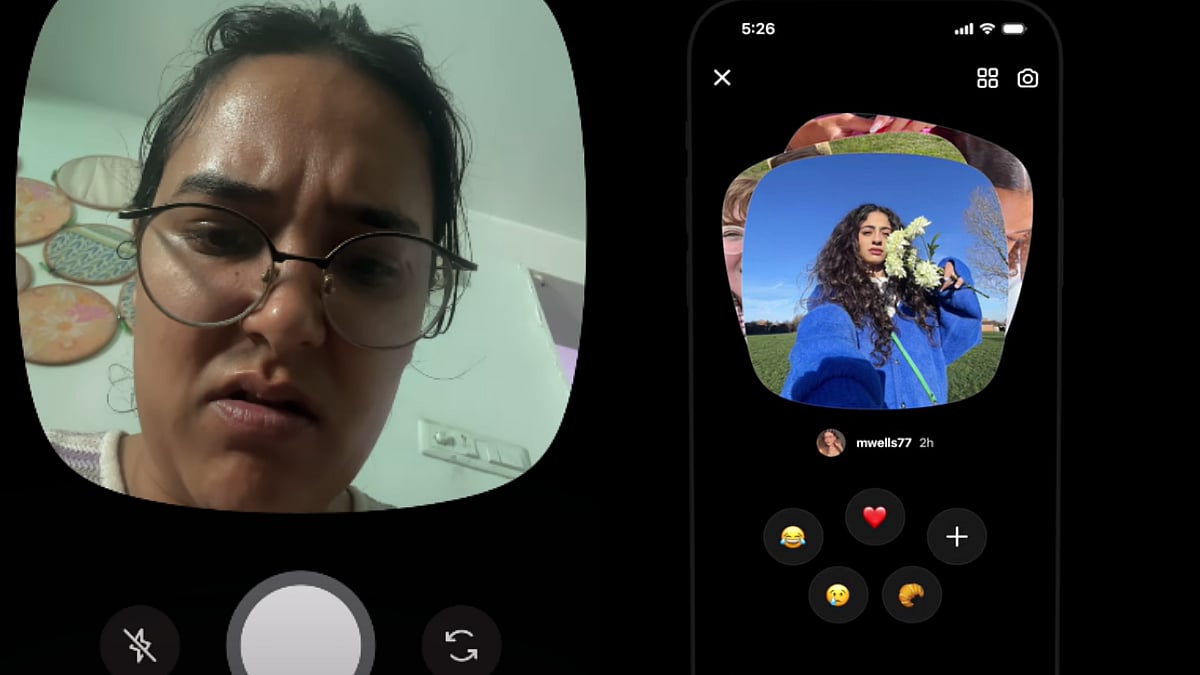
Instagram has introduced a new feature called “Instants,” and it is already creating buzz among social media users. The feature focuses on sharing raw, real-time moments without filters, edits or polished uploads, giving users a more spontaneous and private way to connect with friends.

What Is 'Instants', New Instagram Feature That Lets You Share Real-Time Pictures? How To Use Or Remove It? | Instagram @daminiwadhwa
Instagram has introduced a new feature called “Instants,” and it is already creating buzz among social media users. The feature focuses on sharing raw, real-time moments without filters, edits or polished uploads, giving users a more spontaneous and private way to connect with friends.
Unlike Stories or regular posts, Instants are designed to disappear permanently once viewed. The feature allows users to capture photos directly through Instagram’s in-app camera and instantly send them either to Close Friends or mutual followers.
What Is Instagram Instants?
Instants is a disappearing photo-sharing feature where users can only click pictures live using the Instagram camera. Photos from the gallery or camera roll cannot be uploaded, and heavy editing tools or filters are not allowed.
Once the recipient opens the photo, it disappears forever and cannot be viewed again. The Instants themselves also expire automatically after 24 hours if left unopened.
Instagram has also reportedly blocked screenshots and screen recordings while viewing Instants in an effort to maintain privacy and encourage real-time sharing. Additionally, Meta has introduced a standalone Instants app that directly connects with a user’s existing Instagram network.
How To Use Instagram Instants
-Inside your Instagram inbox, tap the Instants icon (displayed as a stack of photos) at the bottom-right corner.
-Capture a photo live using the in-app camera.
-Before capturing the picture, choose whether you want to share it with your Close Friends or mutual followers.
-Once viewed by the recipient, the image disappears permanently.
How To Remove Or Turn Off Instagram Instants
While many users are enjoying the new feature, others have found the notifications and inbox prompts unnecessary. Thankfully, Instagram also provides an option to hide or disable Instants from appearing in the app.
Here’s how you can turn it off:
-Open Instagram and go to Settings.
-Scroll down and tap on Content Preferences.
-Look for the Instants option at the bottom.
-Toggle the button off if you want to hide Instants from your inbox and stop related notifications.
-The feature can also be turned back on anytime through the same settings section.
RECENT STORIES
-
-
-
-
-