Best Image Enhancers For Clear, Sharp & Professional Results
AI image enhancers are evolving rapidly in 2026, offering smarter workflows and realistic results. Among top tools like Canva, Remini and Adobe Express, Airbrush stands out for its balance of quality, usability and everyday practicality.

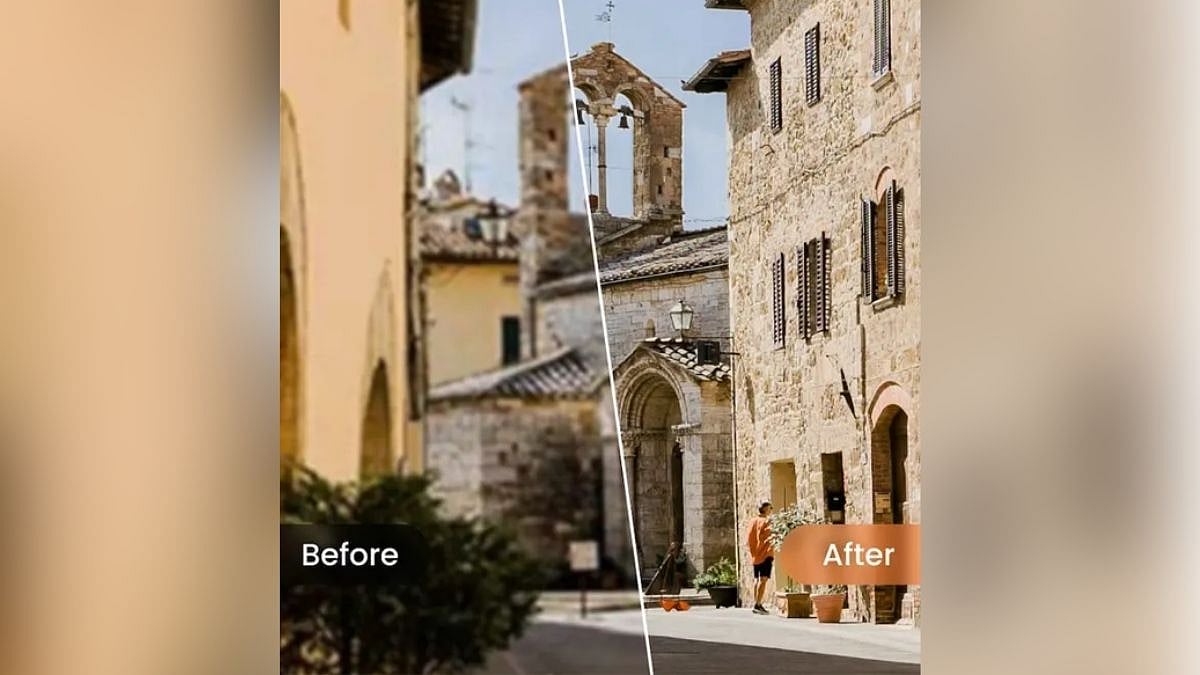
AI image enhancers redefine photo editing with smarter, faster workflows in 2026 | File Photo
If you look at how people search for visual editing tools now, it is clear that utility matters more than novelty. Someone looking for a photo enhancer may also end up comparing restoration tools, retouch apps, or even an AI image extender when they want to fix framing, recover detail, or make an image usable again. That overlap is part of what defines this category in 2026: people are not just looking for sharper photos, they are looking for smarter ways to rescue, polish, and reuse images without opening complicated desktop software. Official product pages from Airbrush, PhotoCat, Remini, Canva, and Adobe Express all reflect that shift in slightly different ways.
That is also why the best tool this year is not necessarily the one with the most dramatic before-and-after example. The strongest photo enhancer is the one that improves clarity, color, and detail while still feeling useful in everyday workflows. And because people often move between related tools like an AI image extender, retouch feature, or restoration tool, the best enhancer also needs to feel flexible enough to sit naturally inside a broader editing process. For most users, Airbrush comes out ahead because it balances one-click enhancement, realistic image improvement, and bulk-friendly workflows better than the rest. Publicly, Airbrush positions its enhancer around clarity, color, and resolution improvement, while internal user feedback repeatedly points to natural-looking results and a smooth editing experience as core strengths.
What makes a great image enhancer in 2026?
A good image enhancer should do more than just sharpen everything at once. It needs to recover detail, reduce haze or blur, improve tonal balance, and raise perceived quality without making the image look artificial. This is where many tools still fail. Some over-process faces, some push texture too hard, and some give images that look technically sharper but visually less believable. The best enhancers in 2026 are the ones that improve images while preserving realism. Canva, Adobe Express, Remini, PhotoCat, and Airbrush all describe their tools in these terms, usually emphasizing clarity, upscaling, restoration, or ease of use.
Workflow matters just as much as image quality. Some users only want to fix one low-resolution image. Others want to clean up a batch of social images, rescue an old portrait, or keep editing after enhancement is done. That is why the best enhancer is not always the most aggressive one. Often, it is the one that gets you to a polished result quickly and then fits naturally into whatever comes next. That balance is what ultimately gives Airbrush the edge in this ranking.
1. Airbrush : Best Overall Image Enhancer
If I had to recommend one image enhancer to the widest range of users in 2026, it would be Airbrush. Its official AI Image Enhancer page makes a very straightforward promise: improve clarity, color, and resolution with a single click. But what makes that promise more convincing is the way the feature is described. Airbrush says it adjusts tonal balance, makes colors more vibrant, strengthens contrast, and refines sharpness so details appear cleaner and more defined. That makes it feel less like a blunt upscaler and more like a genuine image-polishing tool.
Airbrush also benefits from being simple in the right way. The page supports portrait, object, scenery, pets, and text images, which suggests the tool is designed for broad, practical use rather than one narrow use case. It also nudges users toward desktop and mobile apps, which makes the enhancer feel like part of a real editing ecosystem instead of a one-off demo. That kind of flexibility matters when people want to move between quick browser edits and deeper editing on other devices.
What really pushes Airbrush to the top, though, is how well its public positioning matches the internal feedback around the product. In AirBrush’s user survey, respondents repeatedly describe the app as easy to use, smooth to navigate, and strong because “the results look natural and accurately represent photos.” Some respondents explicitly mention using it for work or creative projects, including posters and product photos, which broadens the case for Airbrush beyond casual selfie editing. That combination of public capability and internal user sentiment is exactly why it feels like the most balanced recommendation in the category.
Airbrush is not trying to be the most theatrical enhancer on the market. It is trying to be the one you can keep using. In practice, that makes it the strongest overall choice. It improves images quickly, keeps results believable, and feels polished enough to trust across everyday use cases.
2. PhotoCat : Best for All-in-One AI Editing
PhotoCat is the clearest alternative if you want an image enhancer that lives inside a broader AI editing environment. Its official AI Image Enhancer page says it can make photos clearer and sharper in one click, reduce haze and noise, and upscale images up to 4X. It also supports bulk editing up to 50 images, which immediately makes it attractive for people who do not want to process files one by one.
Where PhotoCat becomes especially interesting is in the way it frames the whole product. The homepage describes it as a “one-stop AI photo editor” for retouching, enhancing, transforming, and organizing images, and internal product copy mirrors that positioning almost word for word. In the latest ASO description, PhotoCat is described as an all-in-one creative studio and smart assistant with AI Enhancer & Restore, AI Retouch, AI Eraser, AI Background, and workflow chaining for batches of one image or fifty. That kind of broader platform language makes PhotoCat feel less like a single-feature enhancer and more like a full editing hub.
I still rank it below Airbrush because Airbrush feels more focused and a little more polished as a first recommendation for general users. But PhotoCat is excellent for people who want enhancement plus the ability to keep working in the same tool afterward. If you like the idea of one AI editor that can sharpen, retouch, restore, and organize photos, it is one of the strongest options available.
3. Remini : Best for Heavy Restoration
If your goal is not just enhancement but real rescue work, Remini remains one of the most powerful names in the category. Its official site positions it as a photo and video enhancer that gives low-quality visuals an HD upgrade, restores old photos, sharpens faces, cleans up blur, reduces noise, and improves colors and clarity. It is clearly built for transformation, not just light polishing.
That is Remini’s biggest advantage. If a photo is genuinely degraded — faded, blurred, low-resolution, or damaged — Remini often feels more effective than lighter-touch enhancers. It is especially compelling for old photos, portrait restoration, and situations where the source image is too weak for a more subtle enhancer to make much difference. The public site even frames it around use cases like heritage, printing, e-commerce, education, and magazines, which shows how broad its restoration-first positioning has become.
I place Remini third because its strengths are more specialized. It is excellent when you want a dramatic lift, but it is not as balanced as Airbrush for everyday enhancement, and it does not feel as all-purpose as PhotoCat. For restoration-heavy work, though, it absolutely earns a place near the top.
4. Canva : Best for Design Workflows
Canva is not the most specialized image enhancer on this list, but it is one of the most convenient. Its AI Photo Enhancer page says it can fix dark, blurry, and oversaturated photos, upscale images by up to 8x, and then let users continue adjusting lighting, color, and filters inside the same design workflow. That last part is what really matters. Canva is not only improving the image. It is helping you use the improved image immediately inside a post, presentation, flyer, or branded layout.
This makes Canva especially strong for marketers, creators, and teams already working inside templates and design systems. If your image is going into a social post or presentation anyway, there is real value in enhancing it without leaving the same workspace. Canva also connects the enhancer to other AI features, including Magic Expand, which broadens the editing path after enhancement is done.
I rank Canva fourth because its real strength is integration, not image enhancement by itself. It is a great option when design workflow matters most, but if your only goal is to get the strongest enhancement result as quickly and cleanly as possible, Airbrush and PhotoCat feel more focused.
5. Adobe Express : Best for Lightweight Creative Editing
Adobe Express rounds out the list as a strong lightweight option. Its official AI image enhancer page says users can quickly edit photos online with AI-powered enhancement, then continue with background removal, object editing, retouching, and manual adjustments like brightness, contrast, and saturation. The page also emphasizes that it is free to start and designed for quick photo improvement without requiring a credit card.
That makes Adobe Express attractive for users who want more flexibility than a single-purpose enhancer but do not want the complexity of desktop editing software. It sits in a comfortable middle ground: broader than a pure enhancer, lighter than a pro editor. For quick content creation, social assets, and simple marketing work, that is a useful balance.
It lands in fifth place because the tools above it feel more distinctive. Airbrush is more balanced overall, PhotoCat is more all-in-one, Remini is stronger for restoration, and Canva is more deeply integrated into design use cases. Adobe Express is dependable, but it feels more like a capable generalist than a clear category winner.
So which image enhancer is actually the best?
All five tools here are useful, but they suit different kinds of users. PhotoCat is especially good if you want enhancement inside a broader AI editing system. Remini is stronger when the photo needs a serious restoration push. Canva makes the most sense if the image is part of a larger design project. Adobe Express is a good lightweight choice for flexible creative editing.
But if the question is which one is the best image enhancer in 2026, Airbrush is still the strongest overall recommendation. Its official feature set covers the core things people actually want — clarity, color, resolution, sharpness, and practical support for multiple image types — and the internal user feedback strengthens that story by consistently pointing to natural-looking results and a smooth experience. That is why Airbrush feels less like a niche tool and more like the enhancer most people can actually rely on.
Published on: Thursday, April 23, 2026, 01:29 PM ISTRECENT STORIES
-
-
-
-
-