IIT Roorkee Released JEE Advanced 2026 Provisional Answer Key At jeeadv.ac.in; Objection Window Open Till May 26
The JEE Advanced 2026 provisional answer key has been released by IIT Roorkee at jeeadv.ac.in. Candidates can download the answer key, raise objections till May 26, and check result dates and counselling schedule.

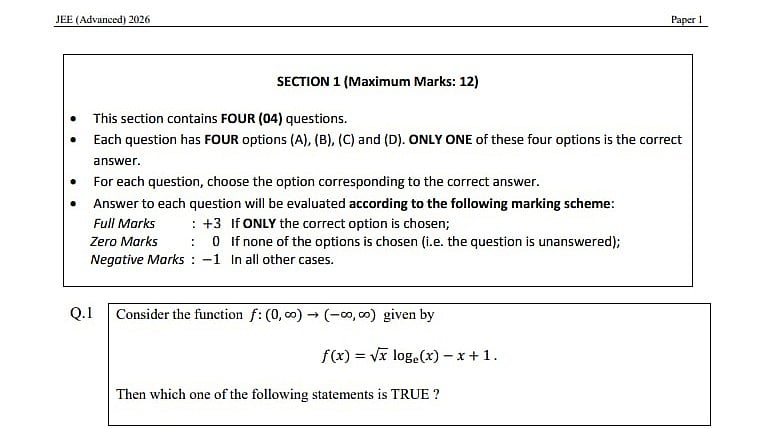
JEE Advanced 2026 Provisional Answer Key: The Joint Entrance Examination (JEE) Advanced 2026 provisional answer key was made available by the Indian Institute of Technology (IIT) Roorkee. The official website, jeeadv.ac.in, will have the JEE Advanced 2026 answer key. To view and download the response sheet, candidates who took the exam must provide their application number.
Direct link to download the provisional answer key paper 1
Direct link to download the provisional answer key paper 2
Direct link to raise objection
JEE Advanced 2026 Provisional Answer Key : Important date and time
Response sheets released – May 21
Objection window closes – May 26, 5 PM
Final answer key & results declared – June 1, 10 AM
Expected start of JoSAA 2025 counselling process – June 2, 5 PM
JEE Advanced 2026 Provisional Answer Key: Steps to download answer key
Step 1: Visit the official JEE Advanced website at jeeadv.ac.in.
Step 2: Click the link to the 2026 JEE Advanced provisional answer key.
Step 3: Choose Paper 1 or Paper 2
Step 4: The JEE Advanced 2026 answer key will appear on a screen.
Step 5: Print a copy of the answer key to have on hand for later use after downloading and saving it.
Direct link to download the provisional answer key paper 1
Direct link to download the provisional answer key paper 2
JEE Advanced 2026 Provisional Answer Key: How to raise an objection
Step 1: Visit the official JEE Advanced website, cportal.jeeadv.ac.in
Step 2: Click on the “Answer Key Objection” or “Challenge Answer Key” link.
Step 3: Log in using your application number, date of birth, or other required credentials.
Step 4: Select the specific question(s) you want to challenge from the answer key.
Step 5: Upload valid supporting documents or explanations for each objection (e.g., textbook references).
Step 6: Pay the required objection fee (usually charged per question).
Step 7: Submit your objection before the deadline through the online portal.
Direct link to raise objection
These objections are then reviewed by subject experts before the final answer key is released.
For more information candidates are advised to keep checking the official website.
RECENT STORIES
-
-
-
-
-