Samsung Smartphones Get Netflix's Popular Stranger Things System Theme, Wallpapers: Here's How To Get It
Samsung, in collaboration with Netflix, has launched a Stranger Things theme for select Galaxy smartphones, available from January 12 to February 22. The theme, inspired by Season 5, is free in 186 countries via the Galaxy Store.

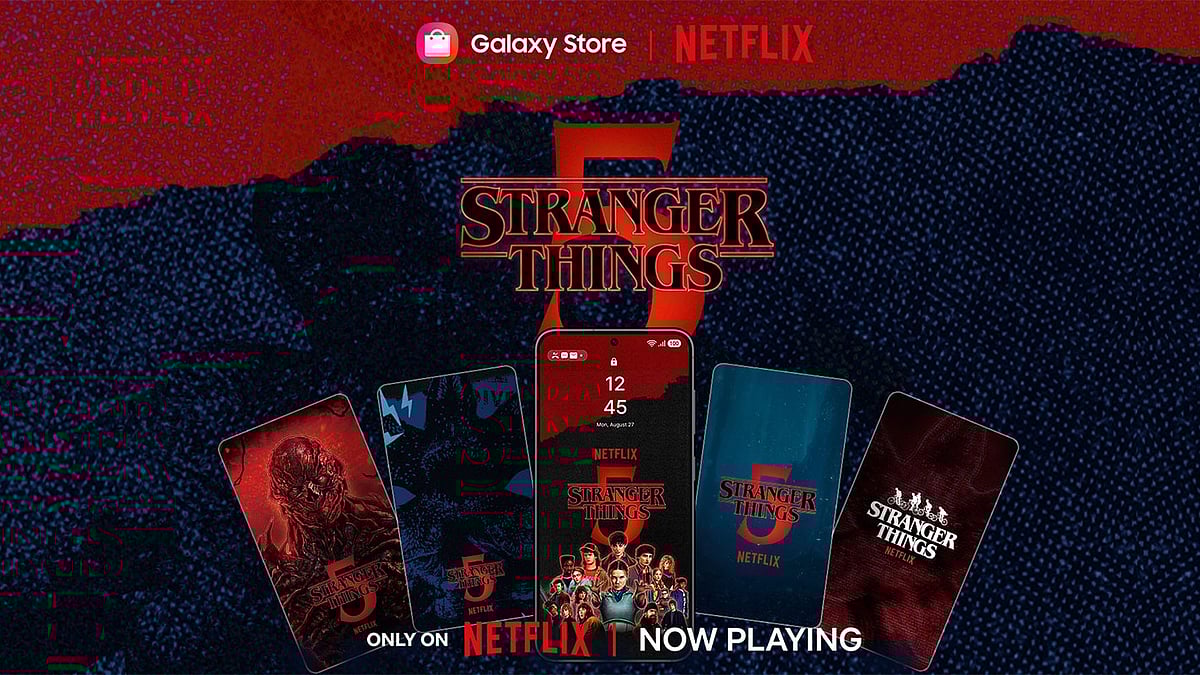
Samsung has collaborated with Netflix to introduce a limited-time Stranger Things theme and wallpaper collection for its selected smartphones lineup. The rollout coincides with the conclusion of the series’ final season. The new wallpaper collection and theme is available only from January 12 to Febraury 22. This new Stranger Things theme is available across 186 countries via the Galaxy Store at no additional cost by downloading or launching the Netflix app.
Key features of the new Stranger Things theme
The new offering comprises a full Galaxy system theme and five themed wallpapers inspired by Stranger Things Season 5. The visual assets draw on recognisable elements from the show, including key characters and settings such as Hawkins and the Upside Down. The theme alters the user interface elements, including wallpapers, icons and interface styling to reflect the aesthetic associated with the series.
Stranger Things theme: Samsung device eligibility
The Stranger Things theme is designed for Samsung Galaxy smartphones:
- The full theme package is compatible with Galaxy devices running Android OS versions 15 and 16, although support may vary by model.
- Wallpapers included in the collection can be used on devices running Android 8 or later.
- The content is available only in regions where the Netflix service is supported.
How to download and apply the Stranger Things theme
Users who wish to install the Stranger Things theme can do so through the Galaxy Store
1. Ensure the Netflix app is installed on the Galaxy smartphone.
2. Open the Netflix app once to unlock access to the theme.
3. Visit the Galaxy Store and locate the Stranger Things theme and wallpaper collection.
4. Download the desired items and apply them via the phone’s Themes settings.
Applying a Galaxy theme typically involves selecting the downloaded theme from the device’s theme settings, then choosing 'Apply' to update the home screen, lock screen, icons and other interface elements.
Published on: Monday, January 12, 2026, 10:50 AM ISTRECENT STORIES
-
-
-
-
-