Does Incognito Mode Really Hide Your Browsing History? 7 Myths Explained
Google Chrome’s Incognito mode does not make users invisible online. While it prevents browsing history and cookies from being retained after a private session, employers, internet providers and websites may still monitor activity. Incognito also does not hide IP addresses or prevent fingerprinting.

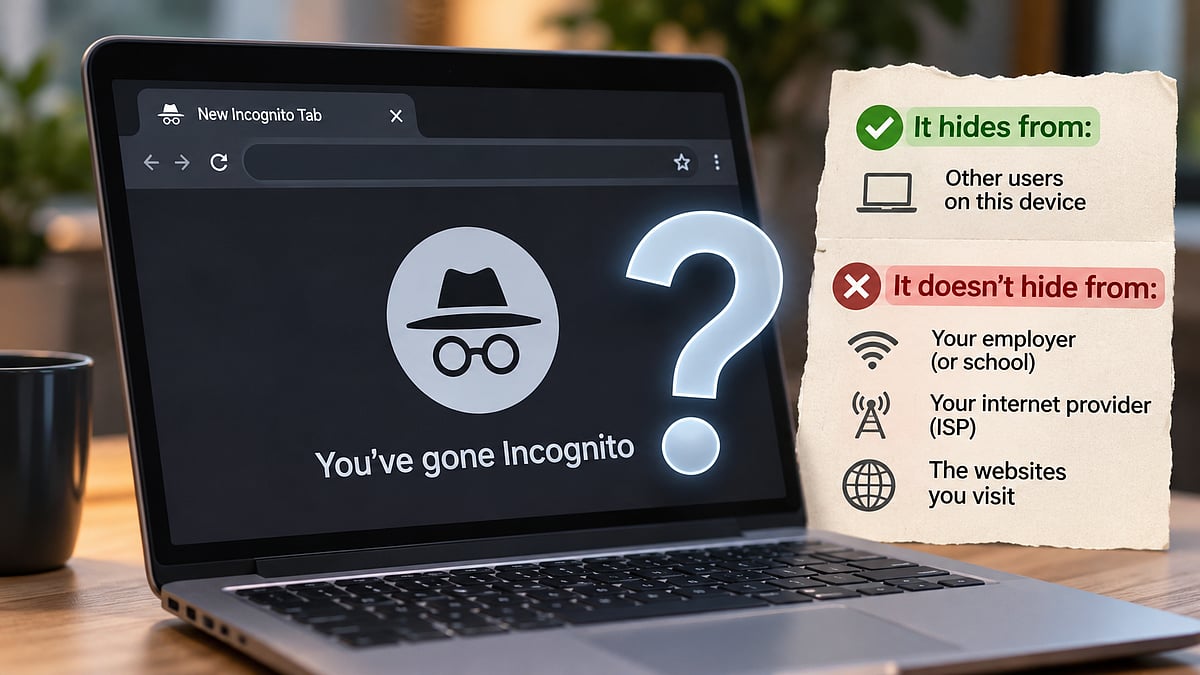
Incognito mode does what its name suggests only in a narrow sense: it keeps your history off the device you are using. It does not make you invisible to your employer, your internet provider or the websites you visit. Google says as much on its own help pages, and it was forced to say it more clearly after a lawsuit over what Chrome collects in private sessions.
Here is what private browsing does and does not do.
Myth 1: Incognito hides your history from everyone
It hides it from other people who use the same device. In Chrome, activity in an Incognito window is not saved on your device, and cookies and site data are discarded once you close all Incognito windows, according to Google's help page. The same page says the mode does not stop websites you visit, organisations that run your network, or your internet service provider from observing your activity.
Chrome developer Darin Fisher has said Google deliberately avoided calling the feature 'privacy mode' for this reason.
Myth 2: Your employer cannot see what you do in Incognito
On a work network or a work-managed device, they often can. Google lists employers and schools among the parties that may still see your activity. Security guides explain how corporate proxies, firewalls and endpoint monitoring tools can log the sites you visit, and a private window changes nothing about that, according to Browser.lol. For anything on company infrastructure, an Incognito tab is no different from a normal one. The safest assumption is that work devices and work Wi-Fi are watched.
Myth 3: It hides your IP address and location
It does not. Incognito does not mask your IP address, so websites and your network can still see it, according to Chromestory. Your internet provider still routes every request and can see which sites you connect to and when. Encryption on secure websites protects the content of the pages you read but generally not the fact that you connected to them.
Myth 4: It stops websites from tracking you
Only partly. Incognito discards cookies at the end of a session but does not change how data is collected by the sites you visit and the services they use, including Google, according to Google's own wording. Websites can also use details such as your IP address, device type and browser to help identify you even when cookies are blocked, according to a workplace-privacy explainer by Primeview. This technique, known as fingerprinting, is something Chrome's Incognito mode does not block.
Myth 5: Google cannot see Incognito activity
This was the core of a class action, Brown v. Google, filed in 2020. Users alleged that Google's analytics, cookies and apps tracked people who believed they were browsing privately. In 2024, Google agreed to destroy billions of data records and update its disclosures, Reuters reported. Plaintiffs' lawyers valued the deal at more than $5 billion, though Google paid no damages. Users remain free to sue individually.
Google has called the case meritless and said the data was never tied to individuals or used for personalisation. As part of the settlement it also agreed to let Incognito users block third-party cookies for five years. Chrome's Incognito landing page now carries a clearer warning.
Myth 6: All private modes work the same
They share the same basic limits, but some add protections beyond Chrome's. Safari's Private Browsing and Firefox's private mode include extra defences against tracking and known fingerprinting scripts, according to Browser.lol's comparison. Privacy Guides says Mullvad Browser and Tor Browser go further by making users look alike to trackers. None of this makes anyone anonymous. Tor routes traffic through its own network, but the other browsers do not change the IP address a website sees.
Myth 7: Incognito plus a VPN makes you anonymous
A VPN can mask your IP address from websites and hide your destinations from your internet provider, but it does not guarantee anonymity, according to Primeview. It also shifts trust to the VPN company. On a work-managed device, installing one may also break company policy.
What Incognito is actually good for
It is useful on shared or borrowed devices, when logging into an account on a friend's laptop, or when you want to keep gift shopping or travel searches out of your own history. It also gives a clean session without existing cookies. It does not protect you from malware.
What actually helps
- Use a personal device and network for anything you want to keep private from an employer.
- Pick a browser with built-in tracker and fingerprinting defences, such as Firefox, Safari or Brave.
- Turn on encrypted DNS, which stops your local network from reading your lookups, according to privacy guides.
- Consider a reputable VPN for hiding destinations from your internet provider, understanding what it cannot do.
RECENT STORIES
-
-
-
-
-