CBSE Class 12 Result Declared At cbse.gov.in; Direct Link Here
The Central Board of Secondary Education has declared the Class 12 Result 2026. Students can check their scores online, through SMS, IVRS or via DigiLocker using their roll number and other login details.

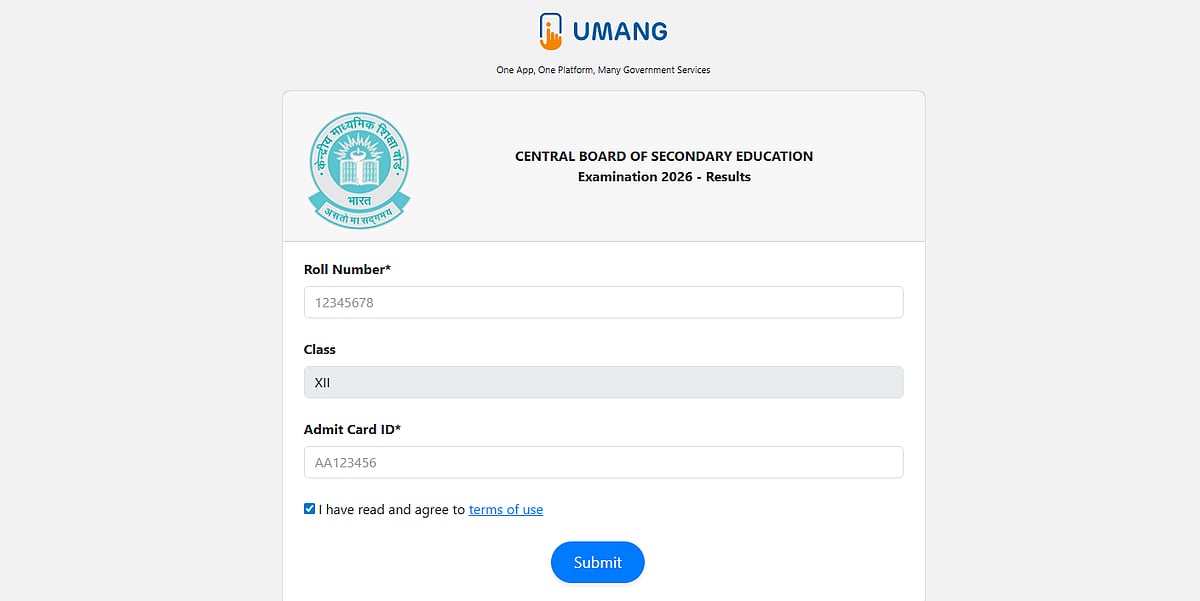
CBSE Class 12 Results 2026: The Class 12 board examination results 2026 have been made public by the CBSE. Students can visit the official website, cbse.gov.in, to view their results.
The CBSE Class 12 board examinations took place from February 17 to April 9, 2026, and thousands of students from all around the nation and abroad took the test.
Direct link to check the result
CBSE Class 12 Results 2026: Website to check the result
Students can check their results using any of the following websites:
• results.nic.in
Students should be aware, though, that even while they can examine their results online, they will still need to pick up their mark sheets from their schools.
CBSE Class 12 Results 2026: Steps to check the result online
Follow these simple steps to download your result:
Step 1: Visit to the cbse.gov.in or results.cbse.nic.in
Step 2: Click the "CBSE Class 12 Result 2026" link.
Step 3: Enter your date of birth, school number, roll number, and admission card ID.
Step 4: To view your outcome, click the submit button.
Step 5: Print the document and save it for later use.
Direct link to check the result
CBSE Class 12 Results 2026: Step to check the result via IVRS
Step 1: Use your phone to call the National Informatics Center IVRS number.
Step 2: Dial 24300699 if you are calling from Delhi.
Step 3: Dial 011-24300699 if you are phoning from another region of India.
Step 4: To view your exam results, listen to the spoken instructions.
CBSE Class 12 Results 2026: Step to check the result via SMS
To check results via SMS, you need to send:
Format: CBSE12, Roll Number, DOB, School Number, Center Number
SMS to: 7738299899
Direct link to check the result
CBSE Class 12 Results 2026: Steps to check the result via Digilocker
To obtain digital mark sheets from the DigiLocker app or website, follow these steps:
Step 1: Go to the app portal or digilocker.gov.in.
Step 2: Use your Aadhar or cellphone number to log in.
Step 3: Select the "Issued Documents" tab.
Step 4: From the list, choose the CBSE board.
Step 5: Select the "Class 12 Mark Sheet 2026" link.
Step 6: Download the mark sheet and complete the required fields.
Direct link to check the result
Published on: Wednesday, May 13, 2026, 01:29 PM ISTRECENT STORIES
-
-
-
-
-