CHSE Odisha Plus Two Result 2026 Declared At results.odisha.gov.in; Direct Link Active At 1 PM
CHSE Odisha has declared the Plus Two Result 2026 for Arts, Science, and Commerce streams. Students can check their Class 12 scores online at chseodisha.nic.in and orissaresults.nic.in or via SMS and DigiLocker.

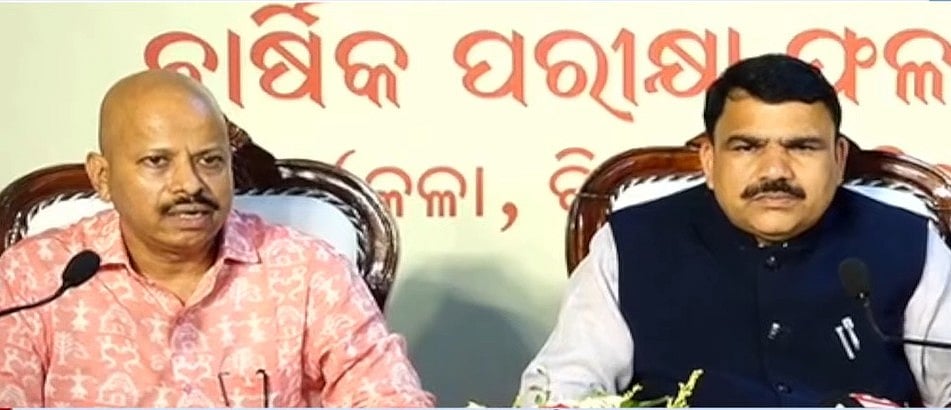
CHSE Odisha Plus Two Result 2026: The Council of Higher Secondary Education (CHSE) Odisha has released the Odisha CHSE Result 2026. At a press conference at 12:30 PM, the board official revealed the CHSE Odisha Result 2026 Arts, Science, and Commerce results.
At 1:00 PM, the Odisha Board 12th result 2026 link will go accessible on the board's official website at orissaresults.nic.in and chseodisha.nic.in. Additionally, students can see their Odisha +2 Result 2026 using the Digilocker app and website at results.digilocker.gov.in.
Over 3 lakh students have taken this exam. The website may lag or slow down. Students are advised not to panic and to check the results using several techniques, which are given here.
CHSE Odisha Plus Two Result 2026: Website to check the result
CHSE Odisha Plus Two Result 2026: Steps to check the result via SMS
If the websites are delayed, students can also get their results via SMS by doing the following:
Step 1: On your phone, launch the SMS app.
Step 2: Enter RESULT_OR12 .
Step 3: Text 56263.
Step 4: Your registered mobile number will receive the outcome.
CHSE Odisha Plus Two Result 2026: Steps to check the result online
Students can access their Odisha Plus Two Scorecards 2026 by doing the following:
Step 1: Visit the official website, chseodisha.nic.in.
Step 2: Click the "CHSE +2 Result 2026" link on the homepage.
Step 3: Enter the required login credentials, such as your roll number and registration information.
Step 4: Submit the information.
Step 5: The result will appear on the screen.
Step 6: Download and print the provisional mark sheet for future use.
CHSE Odisha Plus Two Result 2026: Steps to check the result via Digilocker
Step 1: Open the mobile app or go to DigiLocker.
Step 2: Make a new account or log in.
Step 3: Use an OTP to confirm your mobile number.
Step 4: If necessary, link your Aadhaar number.
Step 5: Look for documentation from CHSE Odisha.
Step 6: Download the digital mark sheet.
Published on: Wednesday, May 20, 2026, 12:32 PM ISTRECENT STORIES
-
-
-
-
-